
A tidy desk, step by step
How to hide cables on a desk in 8 steps: an Allcam tray, a cable spine for standing desks, D-Line sleeve and box, plus UK tidy-desk kits from £20.06 to £103.33.
On this page
At a glance
To hide cables on a desk, lift the extension lead and chargers into an under-desk tray, run everything that goes to the wall through one sleeve, clip the last cable ends to the desk, and cut the rest with a USB-C dock and a wireless keyboard and mouse. The Allcam CT100, a 100 cm steel mesh tray rated for 5 kg, costs £16.98 on Amazon UK at the time of writing (September 2026), and Compare Electronic's £49.02 kit built around it puts every cable on a typical laptop-and-monitor desk into a tray, a sleeve or a clip.
The method runs in eight steps, each with one product. On a model laptop-and-monitor desk, the £103.33 version cuts the plugs in the laptop from five to one and removes two cables outright. One rule is fixed: Electrical Safety First rates most extension leads at 13 A and says never to plug one into another.
How do you hide cables on a desk?
Hiding cables on a desk takes eight steps in a fixed order: count and shorten, lift power under the desk, mount one lead, bridge a standing desk to the floor, sleeve the run to the wall, clip the ends, box anything left on the floor, then remove cables altogether.
| Step | Job | Product | Price |
|---|---|---|---|
| 1 | Count, shorten and bundle the slack | VELCRO Brand ONE-WRAP roll (20 mm x 2.5 m) | £3.99 |
| 2 | Lift power into an under-desk tray | Allcam CT100 (100 cm) | £16.98 |
| 3 | Mount one surge-protected lead | Masterplug SWSRG6210N | £12.49 |
| 4 | Bridge a standing desk to the floor | Allcam CS101 Cable Spine | £18.95 |
| 5 | Sleeve the run to the wall | D-Line Cable Tidy Tube | £7.99 |
| 6 | Clip monitor and laptop cable ends | UGREEN Magnetic Cable Tidy Clips (6) | £7.57 |
| 7 | Box a lead that stays on the floor | D-Line Cable Tidy Box (Large) | £14.99 |
| 8 | Cut cables altogether | Anker 8-in-1 USB-C Docking Station + Logitech MK295 Silent Wireless Combo | £30.99 + £23.32 |
Step 4 applies to sit-stand desks and step 7 to leads left at skirting height. Desks are ranked in best standing desk UK 2026.
How many cables does a typical desk have?
A typical laptop-and-monitor desk carries nine cables by Compare Electronic's count, and five of them plug into the laptop: charger, HDMI, keyboard, mouse and Ethernet. The other four are the monitor's power cable, the phone charger, the desk lamp and the four-way extension lead that feeds them from the floor.
- Count and label: tag both ends of every cable; the count sizes every product that follows.
- Shorten: a 2 m cable serving a device 50 cm away leaves 1.5 m to hide. Shorter USB-C, HDMI and Ethernet cables remove that slack at source.
- Bundle:coil the remaining slack and close it with hook-and-loop ties, which reopen, rather than nylon zip ties, which have to be cut. VELCRO Brand says ONE-WRAP ties open and close "1000s of times".
The VELCRO Brand ONE-WRAP roll (20 mm x 2.5 m) costs £3.99 on Amazon UK at the time of writing (September 2026); cut into 20 cm lengths it makes 12 ties at 33p each, against 60p each for the VELCRO Brand ONE-WRAP 15-pack (12 mm x 20 cm) at £8.96.
What is the best under-desk cable tray?
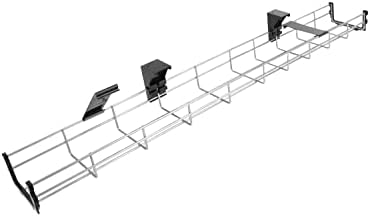
The Allcam CT100 is the best under-desk cable tray for desks that take screws: it is 100 cm long, 11.5 cm wide and 6 cm deep, holds 5 kg, and at £16.98 has the lowest price per metre of the four trays compared here.
Allcam CT100 - best under-desk cable tray

Allcam builds the CT100 from galvanised steel mesh with fire-resistant plastic brackets, and adds a cable cover and end caps so cables stay inside the open top, per the Allcam listing. Sections of 40 cm, 60 cm and 100 cm join into longer runs, the brackets also fix to a wall or vertical panel, and Allcam gives a 5-year warranty. A Masterplug SWSRG6210N extension lead weighs 600 g, under an eighth of the 5 kg rating, which leaves room for laptop and monitor power bricks. The CT100 suits owners of a solid wood or chipboard desk who can drive screws into its underside.
Allcam CT100 - pros and cons
Where to buy
Check price
Screw-in, clamp-on or adhesive?
Screws suit desks the owner can drill, clamps suit rented desks, and adhesive is the fixing for glass.
| Desk | Fixing | Pick | Length, load | Price | Per metre |
|---|---|---|---|---|---|
| Wood or chipboard, owned | Screws | Allcam CT100 | 100 cm, 5 kg | £16.98 | £16.98 |
| Rented desk, top 10 to 50 mm | Clamp | MiDARAH 40 cm clamp tray | 40 cm, 7 kg | £11.99 | £29.98 |
| Glass top | Adhesive (screws included) | Scandinavian Hub drill-free trays (2 x 43.2 cm) | 86.4 cm, 9 kg | £26.99 | £31.24 |
| Small desk, light load | Screws or adhesive | D-Line Desk Cable Organiser Kit | 36.5 cm tray plus 1.25 m wrap | £12.49 | £34.22 |
The MiDARAH 40 cm clamp tray grips on rubber pads and leaves no holes, which suits renters. Scandinavian Hub ships adhesive and screws with its drill-free trays and says the open steel surface lets heat from surge leads escape. The D-Line Desk Cable Organiser Kit adds a 1.25 m spiral wrap, a 600 mm hook-and-loop band and three cable bases.
Is it safe to mount an extension lead under a desk?
Mounting an extension lead under a desk is safe when the lead is a fused 13 A UK unit, the total load stays under its rating, and it plugs straight into a wall socket. Electrical Safety First (ESF), the UK electrical safety charity, sets the rules:
- One lead per wall socket:"Don't plug an extension lead into another extension lead (known as 'daisy chaining')", ESF says.
- Know the rating:"Extension leads are rated at 13A apart from some older versions that may be rated 10A", per ESF, and the rating is marked on the back or underside.
- Add up the load:ESF's socket overload calculator checks a planned set of plugs against the limit. Tim Benham of Royal Berkshire Fire and Rescue told Which?: "If they add up to more than 3,000W then it's not safe".
- Buy a proper lead: ESF advises a standard UK 3-pin plug with a fuse, from a reputable retailer rather than a third-party seller online.
The Masterplug SWSRG6210N, £12.49 on Amazon UK at the time of writing (September 2026), is the lead to mount: six individually switched, shuttered 13 A sockets on a 2 m cable, with wall-fixing capability for the underside of a desk, per Masterplug.
| Device | Rating | Share of 2,990 W |
|---|---|---|
| Laptop charger for the Anker 8-in-1 dock | 100 W (Anker's requirement) | 3.3% |
| Dell 27 Plus S2725DC monitor | 21.4 W (Dell listing) | 0.7% |
| USB-C adapter for a Qi2.2 charging pad | 30 W | 1.0% |
| Desk total | 151.4 W | 5.1% |
| Desk plus a kettle (around 3,000 W, per Which?) | 3,151.4 W | 105.4%: over the limit |
A desk of chargers and screens uses about 5% of the lead's capacity. The danger is one high-power appliance plugged in beside them: a kettle, at around 3,000 W according to Which?, fills the 13 A budget on its own.
Is a surge-protected extension lead worth it?
A surge-protected lead is worth it on a laptop-and-monitor desk: the £12.49 Masterplug SWSRG6210N adds 370 joules of protection, a surge light and up to £1,000 of connected-equipment cover for three years, per Masterplug, 80 times the lead's price.
- What it does:Which? describes a surge protector as a device that "attempts to limit the voltage supplied to an electric device", and says lightning can produce surges "from up to 2km away".
- It wears out:Which? says the components "degrade over time and become less effective after repeated surges", and advises replacing a lead after a serious surge.
- After a surge: ESF says surge protectors (MOVs) are generally self-resetting; a lead that stops working after a surge may have blown its protection fuse, and ESF recommends replacing it if a new plug fuse does not help.
- What it does not do: surge protection does nothing about overload. The 13 A limit and the no-daisy-chain rule apply to every lead.
Radar · 0-100 scores
- CT100 Under Desk Cable Tray (100 cm)
- CS101 Cable Spine for Standing Desks (1.3 m, Black)
- Cable Tidy Tube (32 mm, 1.1 m, Black)
- Cable Tidy Box (Large, White)
How do you manage cables on a standing desk?
Cable management for a standing desk means fixing everything to the desktop so it rises with the desk, then bridging the one gap to the floor with a spine long enough for the desk at full height. The Allcam CS101 Cable Spine, £18.95 on Amazon UK at the time of writing (September 2026), is 130 cm of snap-together vertebrae that bend and straighten as the desk moves, per Allcam.
Allcam CS101 Cable Spine - best for standing desks

With the tray, lead and chargers fixed under the desktop, only two cables reach the floor: the lead's mains cable and Ethernet. The Allcam CS101 carries both, screws to the underside of the desk and stands on a steel base; blocks add or remove to change its length, and Allcam gives a 5-year warranty. Each cable needs slack for the desk at full height. The CS101 suits owners of an electric sit-stand desk; a walking pad under the desk adds one more mains cable.
For desks the owner will not drill, the Ultimate Setup Magnetic Cable Spine (133 cm, £49.90) fixes to a steel leg with magnets, glue or screws. It costs £37.52 per metre against £14.58 for the Allcam CS101: £30.95 more for the magnets.
Allcam CS101 Cable Spine - pros and cons
Where to buy
Check price
Do cable sleeves and ties actually work?
Cable sleeves work for the run from desk to wall, where several cables travel together, and ties work for coiling slack. The D-Line Cable Tidy Tube, £7.99 on Amazon UK at the time of writing (September 2026), gathers the extension lead's mains cable and Ethernet into one 32 mm tube.
D-Line Cable Tidy Tube - best sleeve
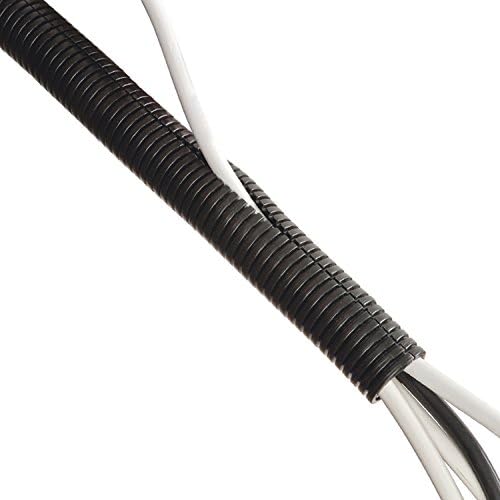
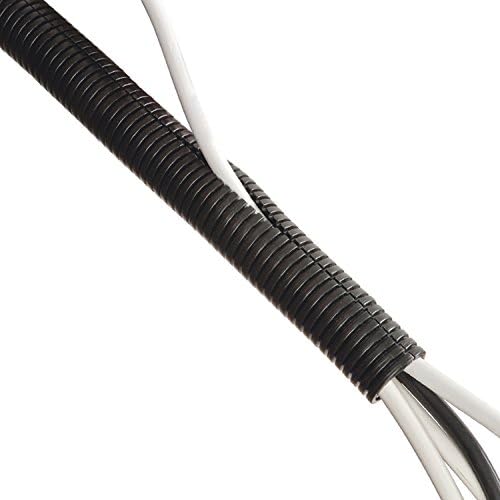
D-Line splits the LDPE tube along its length, so cables push in without unplugging, and it cuts to length with scissors. It measures 32 mm outside and 26 mm inside, is 1.1 m long and is rated from -40°C to +90°C, per D-Line. The Cable Tidy Tube suits a desk against a wall with sockets at skirting height. Inside the tray, ties from the VELCRO Brand ONE-WRAP rollhold each charger's slack.
D-Line Cable Tidy Tube - pros and cons
Where to buy
Check price
How do you hide monitor and laptop cables?
Monitor cables hide best routed down a monitor arm or the back of the stand into the tray; the few laptop cables that must reach the desk clip to its edge. The UGREEN Magnetic Cable Tidy Clips, six for £7.57 on Amazon UK at the time of writing (September 2026), stick to wood, glass, plastic or metal and hold cables up to 7.5 mm thick, per UGREEN.
- Clips: six clips cover the six cable ends the model desk leaves on the desktop, and the magnetic closure opens one-handed.
- Budget arm: the BONTEC GDM7501 monitor arm (£21.98) holds 13 to 32-inch screens of 3 to 9 kg on a C-clamp or grommet and hides cables inside the arm, per BONTEC.
- Premium arm: the Ergotron LX Pro (£139.83) takes screens up to 34 inches and 22 lb (10 kg), lifts 13 inches (33 cm), clamps to desks 10 to 61 mm thick and has built-in cable management and a 10-year warranty, per Ergotron.
- Two screens or one: two monitors need four cables, power and video for each; one ultrawide needs two. Options are in best ultrawide monitor UK 2026.
How do you hide cables on the floor?
Cables on the floor hide in a cable box when the extension lead has to stay at skirting height, for example under a glass desk. The D-Line Cable Tidy Box (Large), £14.99 on Amazon UK at the time of writing (September 2026), covers six-gang leads up to 340 mm long.
D-Line Cable Tidy Box (Large) - best for the floor

D-Line makes the box from ABS certified to BS EN 60670-22:2006, with three rear slots for cables in and out, and says it keeps plugs away from pets and small children and removes a trip hazard. Lead length decides the fit: the Masterplug SWSRG6210N is listed at 46.9 cm, longer than the box's 340 mm limit, so the box pairs with a shorter six-gang lead and the Masterplug belongs in the tray. The Cable Tidy Box suits renters, because it needs no fixings.
D-Line Cable Tidy Box (Large) - pros and cons
Where to buy
Check price
How do you reduce the number of cables on a desk?
The number of cables falls fastest with a USB-C dock or USB-C monitor, which puts charging, video, network and USB on one laptop cable, and a wireless keyboard and mouse, which remove two cables outright. Prices are Amazon UK figures at the time of writing (September 2026).
- USB-C dock: the Anker 8-in-1 USB-C Docking Station (£30.99) carries two HDMI outputs, Gigabit Ethernet, two USB-A ports, SD and microSD readers and 85 W pass-through charging on one cable, per Anker. Anker lists 4K at 30 Hz on two screens or 4K at 60 Hz on one, and the 85 W figure needs a 100 W USB-C charger; those are ranked in best fast charger UK 2026.
- USB-C monitor: the Dell 27 Plus USB-C Monitor S2725DC (£237.00), a 27-inch 2560 x 1440 IPS screen at 144 Hz, delivers up to 65 W over USB-C alongside picture and USB, per Dell, so a laptop that charges at 65 W or less needs no charger at the desk. USB Power Delivery topped out at 100 W over 5 A cables until USB PD 3.1 raised the ceiling to 240 W, per the USB Implementers Forum.
- Wireless keyboard and mouse: the Logitech MK295 Silent Wireless Combo (£23.32, UK layout) runs both on one 2.4 GHz USB receiver with a 10 m range; Logitech quotes 36 months of keyboard and 18 months of mouse battery life. Rechargeable boards are in best wireless mechanical keyboard UK 2026.
- Wireless charger: the UGREEN 25W Qi2.2 Wireless Charger Pad (£19.99) swaps a loose phone cable for a pad whose 1.5 m cable drops into the tray; it needs a separate USB-C adapter. Pads are compared in best wireless charger UK 2026, and the battery question is answered in is wireless charging bad for your battery.
How many cables does the method remove?
The full method takes the model desk from five plugs in the laptop to one, removes two cables outright and turns five runs to the wall into one sleeved bundle. Compare Electronic's count follows each of the desk's nine cables through the three kits.
| Cable | Before | £20 kit | £50 kit | £100 kit |
|---|---|---|---|---|
| Laptop charger | Loose, into laptop | Brick in tray, end clipped | Brick in tray, end clipped | Into dock, hidden |
| Monitor power | Loose | Into tray | Into tray | Into tray |
| HDMI | Loose, into laptop | Clipped | Clipped | Dock to monitor, hidden |
| Keyboard | Loose, into laptop | Clipped | Clipped | Removed (wireless) |
| Mouse | Loose, into laptop | Clipped | Clipped | Removed (wireless) |
| Phone charger | Loose | Clipped | Clipped | Clipped |
| Desk lamp | Loose | Into tray | Into tray | Into tray |
| Ethernet | Loose, into laptop | Spiral-wrapped, end clipped | Sleeved, end clipped | Sleeved, into dock |
| Extension lead | On the floor | In tray | Screwed into tray | Screwed into tray |
| USB-C dock lead | None | None | None | New, clipped |
| Plugs in the laptop | 5 | 5 | 5 | 1 |
| Separate runs to the wall | 5 | 1 wrapped bundle | 1 sleeved bundle | 1 sleeved bundle |
| Cable ends on the desktop | 7 loose | 6 clipped | 6 clipped | 2 clipped |
| Cables removed | 0 | 0 | 0 | 2 |
The £100 kit adds the dock's USB-C lead and removes two cables, so the desk ends with eight cables instead of nine, with two ends on show. The Dell 27 Plus USB-C Monitor S2725DC in place of the dock also removes the laptop charger and HDMI cable for laptops that charge at 65 W or less.
How much does it cost to hide desk cables?
Hiding the cables on a typical desk costs £20.06, £49.02 or £103.33 at Amazon UK prices in September 2026, depending on whether the aim is a tidy desk, hidden cables or fewer cables.
| Kit | Contents | Suits | Total |
|---|---|---|---|
| About £20: tidy | D-Line Desk Cable Organiser Kit £12.49 + UGREEN Magnetic Cable Tidy Clips £7.57 | Renters and small desks; screws or adhesive; keeps the existing lead | £20.06 |
| About £50: hidden | Allcam CT100 £16.98 + Masterplug SWSRG6210N £12.49 + D-Line Cable Tidy Tube £7.99 + VELCRO Brand ONE-WRAP roll £3.99 + UGREEN Magnetic Cable Tidy Clips £7.57 | Owned desks: all power under the desktop, one sleeve to the wall | £49.02 |
| About £100: fewer | The £50 kit + Anker 8-in-1 USB-C Docking Station £30.99 + Logitech MK295 Silent Wireless Combo £23.32 | Laptop users: one plug in the laptop, two cables removed | £103.33 |
- Standing desk: the Allcam CS101 Cable Spine (£18.95) replaces the D-Line Cable Tidy Tube (£7.99), adding £10.96: £58.31 and £112.62.
- Glass desk: the Scandinavian Hub drill-free trays (£26.99) replace the Allcam CT100, adding £10.01.
- Rented desk: the MiDARAH 40 cm clamp tray (£11.99) replaces the Allcam CT100, saving £4.99.
- Lead on the floor: add the D-Line Cable Tidy Box (Large) at £14.99, with a six-gang lead no longer than 340 mm.
The step from £49.02 to £103.33 costs £54.31 and removes four plugs from the laptop, £13.58 per plug.
What should UK buyers check before tidying desk cables?
- Plug and fuse: ESF advises extension leads with a standard UK 3-pin plug and a fuse; the Masterplug SWSRG6210N has a fused UK 3-pin plug rated at 13 A.
- Seller:ESF advises buying from a reputable retailer rather than a third-party seller online. The "Sold by" line on an Amazon UK listing names the seller.
- Registration and RCD: ESF recommends registering electrical products for recall notices, and an RCD plug where the consumer unit has no RCD protection.
- Consumer Rights Act 2015: faulty goods can be rejected for a full refund within 30 days, with the claim made to the retailer.
- Renters: clamp trays, adhesive clips and the D-Line Cable Tidy Box leave no holes.
Verdict: how to hide cables on a desk
Lift the power off the floor first. The Allcam CT100 (£16.98) with a Masterplug SWSRG6210N (£12.49) under the desk does most of the work, the D-Line Cable Tidy Tube (£7.99) sleeves the run to the wall, and six UGREEN Magnetic Cable Tidy Clips hold the last ends: £49.02 for a typical desk. Standing desk owners swap the tube for the Allcam CS101 Cable Spine (£18.95); renters start with the £20.06 kit built on the D-Line Desk Cable Organiser Kit, or the D-Line Cable Tidy Box (Large) (£14.99) on the floor. The Anker 8-in-1 USB-C Docking Station and Logitech MK295 Silent Wireless Combo then take a laptop from five plugs to one. The electrical rules never change: one 13 A lead per wall socket and no daisy-chaining.
Frequently asked questions
How do you hide cables on a desk?
Hide cables on a desk by lifting the extension lead and chargers into an under-desk tray, sleeving the cables that run to the wall and clipping the ends that reach the laptop. The Allcam CT100 tray (£16.98), Masterplug SWSRG6210N lead (£12.49), D-Line Cable Tidy Tube (£7.99), VELCRO ONE-WRAP roll (£3.99) and UGREEN Magnetic Cable Tidy Clips (£7.57) total £49.02 on Amazon UK at the time of writing (September 2026).
What is the best under-desk cable tray?
The Allcam CT100 is the best under-desk cable tray for desks that take screws: it is 100 cm long, 11.5 cm wide and 6 cm deep, holds 5 kg, includes a cable cover and carries a 5-year warranty. It costs £16.98 on Amazon UK at the time of writing (September 2026), which works out at £16.98 per metre, the lowest of the trays compared here.
Can you hide cables under a desk without drilling?
Yes. The MiDARAH 40 cm clamp tray (£11.99) clamps to desk tops 10 to 50 mm thick and holds 7 kg, and the Scandinavian Hub drill-free trays (£26.99 for two 43.2 cm trays) fix with double-sided adhesive, which suits glass desks. The UGREEN Magnetic Cable Tidy Clips (£7.57 for six) and the D-Line Cable Tidy Box (£14.99) need no tools either, at Amazon UK prices in September 2026.
How do you manage cables on a standing desk?
Manage cables on a standing desk by fixing the tray, extension lead and chargers under the desktop so they rise with it, then running the mains cable to the floor through a cable spine. The Allcam CS101 Cable Spine is 130 cm long, bends as the desk moves and lengthens or shortens by the block. It costs £18.95 on Amazon UK at the time of writing (September 2026). Every cable needs slack for full height.
Is it safe to put an extension lead under a desk?
An extension lead under a desk is safe when it is a fused 13 A UK lead, the total load stays under 13 A (about 3,000 W), and it plugs straight into a wall socket. Electrical Safety First says never to plug one extension lead into another. The Masterplug SWSRG6210N, £12.49 on Amazon UK at the time of writing (September 2026), can be wall-fixed under a desk.
Is a surge-protected extension lead worth it for a desk?
A surge-protected extension lead is worth it for a desk with a laptop and monitor. The Masterplug SWSRG6210N costs £12.49 on Amazon UK at the time of writing (September 2026) with 370 joules of protection, a surge indicator and up to £1,000 of connected-equipment cover for three years. Which? notes surge components degrade over time, so a lead that has absorbed a serious surge should be replaced.
How do you hide monitor cables?
Hide monitor cables by running the power and video cables down a monitor arm or the back of the stand into an under-desk tray. The BONTEC GDM7501 arm (£21.98) routes cables inside the arm for 13 to 32-inch screens, and the Ergotron LX Pro (£139.83) adds built-in cable management and a 10-year warranty. A USB-C monitor such as the Dell S2725DC (£237.00) replaces the video cable and laptop charger with one cable.
How do you reduce the number of cables on a desk?
Reduce desk cables with a USB-C dock or USB-C monitor plus a wireless keyboard and mouse. The Anker 8-in-1 USB-C Docking Station (£30.99) carries two HDMI outputs, Ethernet, USB and 85 W charging over one cable, and the Logitech MK295 combo (£23.32) removes two cables. On a typical laptop desk the pair cuts the plugs in the laptop from five to one, at Amazon UK prices in September 2026.