

Best mice for battery life
Compare Razer Viper V3 HyperSpeed, Razer Basilisk V3 X and SteelSeries Aerox 3 Wireless Gen 2 battery claims, polling rates and dated Amazon UK prices.
On this page
At a glance
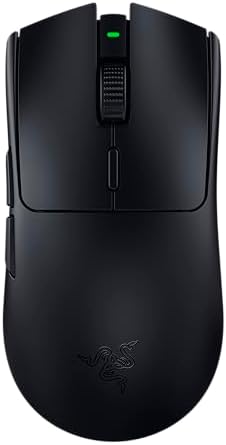
Razer Viper V3 HyperSpeed is the battery-focused gaming pick for 2.4 GHz use, with Razer claiming up to 280 hours at 1,000 Hz. Basilisk V3 X HyperSpeed claims up to 535 hours over Bluetooth, and SteelSeries Aerox 3 Wireless Gen 2 lists up to 120 hours. Compare the same connection mode and polling rate; headline hours are not directly interchangeable.
See the wider mouse buying guide and the related mouse explainer. The manufacturer’s Razer Viper V3 HyperSpeed product specifications provides the cited specifications. A separate gaming mouse and pad guide covers desk setup.
| Razer Viper V3 HyperSpeed | £59.95 on Amazon UK at the time of writing (October 2026) |
| Razer Basilisk V3 X HyperSpeed | £64.99 on Amazon UK at the time of writing (October 2026) |
| Aerox 3 Wireless Gen 2 | £89.99 on Amazon UK at the time of writing (October 2026) |
Which option fits each use?
The longest listed figure, 535 hours, is about 22 days of continuous use, but it is the Basilisk’s Bluetooth claim. A player who uses 2.4 GHz should compare the model’s 2.4 GHz figure instead. Polling rate, lighting and wireless mode affect endurance, so the advertised maximum may not match a gaming setup. The table identifies the mode attached to each manufacturer claim.
| Situation | Pick | Decision reason |
|---|---|---|
| Basilisk V3 X | Up to 535 h | Bluetooth claim |
| Viper V3 HyperSpeed | Up to 280 h | 1,000 Hz claim |
| Aerox 3 Wireless Gen 2 | Up to 120 h | Rechargeable design |
| Fair comparison | Same mode | 2.4 GHz against 2.4 GHz |
Radar · 0-100 scores
- Razer Viper V3 HyperSpeed
- Razer Basilisk V3 X HyperSpeed
- Aerox 3 Wireless Gen 2
What should you compare before buying?
Viper V3 HyperSpeed and Basilisk V3 X use replaceable AA batteries; Aerox 3 Wireless Gen 2 has a rechargeable battery. AA power is quick to replace and convenient for travel, while rechargeable designs avoid ongoing disposable cells. Do not infer total ownership cost from advertised battery hours alone. Consider spare battery cost, charging habits and whether Bluetooth is a practical mode for the computer.
Do not treat DPI, polling rate and weight as interchangeable measures. DPI is the number of counts reported per inch; polling rate is how often the mouse reports updates; weight affects physical handling. Shape, grip and surface friction alter the experience as well. Choose a stable configuration that suits the game or task instead of buying the largest number on a spec sheet.
Which mouse lasts longest in the same wireless mode?
Razer's stated maxima are much closer when compared fairly. Basilisk V3 X is rated up to 285 hours on HyperSpeed and Viper V3 HyperSpeed up to 280 hours at 1,000 Hz. The difference is five hours, about 1.8% of the Viper figure. That small gap should not override shell shape, weight or controls. Basilisk's separate 535-hour figure uses Bluetooth and should not be placed alongside a gaming-receiver figure without a mode label. These are manufacturer claims under their conditions, not results from a shared independent test. The honest conclusion is that both AA-powered Razer models target long endurance; it is not that the Bluetooth headline proves one is nearly twice as good for gaming.
How many weeks do 280 advertised hours represent?
At an assumed 14 hours of active use each week, 280 hours divides into 20 weeks. That is a transparent usage illustration based on Razer's claim, not a prediction of battery replacement dates. A person using the same mouse for a working day and evening games can accumulate active hours much faster than a weekend player. Idle behaviour, battery chemistry and the configured polling rate also matter. Treat the calculation as a way to compare habits, then keep a spare cell where a flat battery would interrupt an important session. Counting continuous hours as calendar days can make a claim sound more relevant than it is to an ordinary desk routine.
What does high polling cost in battery life?
The polling choice can matter more than the choice between these two long-life shells. Razer's support specification lists Viper V3 HyperSpeed at up to 280 hours at 1,000 Hz and up to 50 hours at 8,000 Hz with the required compatible receiver. Dividing 50 by 280 gives about 18% of the advertised lower-rate endurance. The maximum report interval falls from 1 ms to 0.125 ms, but that is not the same as total input latency. A buyer prioritising infrequent battery changes should start at 1,000 Hz and assess whether a higher rate provides a useful benefit in the actual game. Do not buy on the longest battery claim and then expect it at the highest polling setting.
Are replaceable AA batteries cheaper than recharging?
There is no universal answer without a usage assumption and a battery price. Viper V3 HyperSpeed and Basilisk V3 X use AA cells, while Aerox 3 Wireless Gen 2 uses an internal rechargeable battery. AA power allows an immediate swap, but disposable cells create a continuing cost and rechargeable cells may behave differently from the supplied battery. A rechargeable mouse avoids routine cell purchases but needs a charging habit and eventually faces battery ageing. A fair ownership comparison states the assumed active hours, number of replacements and price per cell. It should not divide a headline runtime by an invented battery price and present the result as a measured annual cost. Convenience can outweigh a small financial difference.
Should a long-life mouse use Bluetooth for games?
Use Bluetooth when its convenience suits the task, not simply because it produces the largest endurance number. Razer attaches the Basilisk V3 X's up-to-535-hour claim to Bluetooth and its up-to-285-hour claim to HyperSpeed. A dedicated gaming receiver is the appropriate comparison mode for a buyer prioritising responsive competitive play. Bluetooth can be useful for office work, a second computer or a laptop with few USB ports, provided the connection is supported. Switching modes may therefore be more valuable than maximising a single specification. Label both the connection and the polling rate whenever comparing runtime so that a reader can select the claim corresponding to their actual use.
Which battery choice suits travel or a tournament?
A replaceable cell is useful when power cannot be restored immediately, while a rechargeable design can be simpler for a fixed desk. Razer's Viper V3 HyperSpeed specification gives 82 g with its included AA battery and 59 g without it, so quoting the battery-free mass would misrepresent the device in use. The battery is part of the travel package as well as its operating weight. Check that any spare cell is carried safely and that the correct receiver is packed. For a rechargeable model, remember its cable and avoid assuming every USB port supplies power while a computer sleeps. Planning the recovery from an empty battery is often more useful than comparing the final few advertised hours.
Who should choose by shape instead of the longest runtime?
Choose by shape whenever both candidates already last long enough for the normal charging or replacement routine. The five-hour gap between Razer's 280-hour and 285-hour gaming-mode claims is unlikely to compensate for an awkward thumb rest or unreachable button. A lighter rechargeable mouse may also be more suitable for frequent lifting even if it needs charging more often. The October prices below show the purchase cost, while the battery table keeps mode labels visible. There is no independent common-condition runtime test behind this shortlist, so the figures support a buying framework rather than a laboratory ranking. Buyers who want a ready-to-swap AA design have a clear reason to prefer the Razer options; buyers who prefer a cable at the desk have a different sensible priority.
What should you buy?
Razer Viper V3 HyperSpeed is the battery-focused gaming pick for 2.4 GHz use, with Razer claiming up to 280 hours at 1,000 Hz. Basilisk V3 X HyperSpeed claims up to 535 hours over Bluetooth, and SteelSeries Aerox 3 Wireless Gen 2 lists up to 120 hours. Compare the same connection mode and polling rate; headline hours are not directly interchangeable. Razer Viper V3 HyperSpeed costs £59.95 on Amazon UK at the time of writing (October 2026), checked on 27 October 2026.
Amazon UK listing prices at the time of writing (October 2026), checked on 27 October 2026. These figures refer to the exact linked configurations.
| Mouse | Amazon UK price | Specifications |
|---|---|---|
| Razer Viper V3 HyperSpeed | £59.95 | Manufacturer |
| Razer Basilisk V3 X HyperSpeed | £64.99 | Manufacturer |
| Aerox 3 Wireless Gen 2 | £89.99 | Manufacturer |

Razer Viper V3 HyperSpeed specifications
- Battery: 1 x AA
- Endurance: up to 280 hours at 1,000 Hz
- Endurance: up to 50 hours at 8,000 Hz with compatible receiver
- Weight: 82 g with included AA
- Connectivity: HyperSpeed wireless
Razer Basilisk V3 X HyperSpeed and Aerox 3 Wireless Gen 2 are the alternatives. Compare the exact hand fit, connection mode and software support before ordering.
Razer Viper V3 HyperSpeed - strengths and limits
Where to buy
Check price
Verdict
Razer Viper V3 HyperSpeed is the battery-focused gaming pick for 2.4 GHz use, with Razer claiming up to 280 hours at 1,000 Hz. Basilisk V3 X HyperSpeed claims up to 535 hours over Bluetooth, and SteelSeries Aerox 3 Wireless Gen 2 lists up to 120 hours. Compare the same connection mode and polling rate; headline hours are not directly interchangeable. Pick by grip, connection and repeated task, then verify exact configuration and price on Amazon UK. Continue with the wider buying guide, the related question and the mouse-weight explainer.
Frequently asked questions
Which mouse has the longest stated battery life in this shortlist?
Razer Basilisk V3 X HyperSpeed has the highest listed maximum when using Bluetooth, at up to 535 hours. Razer Viper V3 HyperSpeed is rated up to 280 hours at 1,000 Hz on HyperSpeed, and SteelSeries Aerox 3 Wireless Gen 2 is listed at up to 200 hours over Bluetooth. Compare modes as well as model names.
How many days does 280 hours of mouse battery represent?
Razer's 280-hour maximum for Viper V3 HyperSpeed at 1,000 Hz equals about 93 days at three hours of daily use, using simple division. It is an upper-limit illustration, not a predicted charging schedule. Settings, standby behaviour and actual use can change runtime, so retain the manufacturer's stated mode alongside the number.
Does higher polling reduce Razer Viper V3 HyperSpeed battery life?
The stated maximum falls from up to 280 hours at 1,000 Hz to up to 50 hours at 8,000 Hz with a compatible receiver. That is a model-specific comparison of manufacturer figures, not a universal ratio for every mouse. Choose the polling mode that is useful, then plan around its corresponding runtime claim.
Are AA batteries cheaper than rechargeable gaming mice?
A replaceable AA cell lets Viper V3 HyperSpeed return to use quickly if a spare is available, while a rechargeable mouse avoids regular disposable-cell purchases. Which costs less depends on the battery price, charging habits and ownership period. Compare the upfront price and recurring supplies rather than treating either power design as automatically cheaper.
Should a gaming mouse use Bluetooth to maximise battery life?
Bluetooth can extend the stated maximum on some models, including Basilisk V3 X HyperSpeed at up to 535 hours, but it is a different connection mode from a dedicated 2.4 GHz gaming receiver. Check the mode supported by the device and task. Longer runtime alone does not decide which connection is suitable for games.
What matters more than maximum battery life when travelling?
For travel, consider the connection the laptop supports, whether a receiver must be carried, the ability to replace or recharge the battery and the mouse's shape. Viper V3 HyperSpeed uses one AA cell, while Aerox 3 Wireless Gen 2 has rechargeable battery claims for 2.4 GHz and Bluetooth. Match the practical routine, not just the largest hour figure.