
The memory question
Mac vs Windows laptop for running AI locally. Unified memory versus VRAM, which model sizes each holds, where CUDA still wins, and when neither matters.
On this page
TL;DR
- Switch to a Mac only if you run AI models locally. If you use ChatGPT, Claude or Copilot in a browser, your laptop choice does not affect them at all.
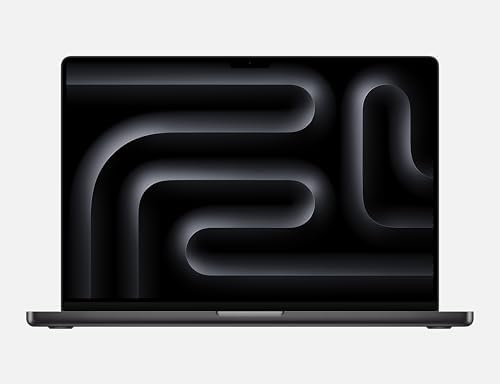
- Apple MacBook Pro 16 M4 Max has 48 GB of unified memory, all of which the GPU can address. It costs £2,499.
- ASUS ROG Zephyrus G16 GU605CX has 64 GB of system RAM and an RTX 5090, but its GPU is limited to 24 GB of VRAM. It costs £4,586.
- The £2,499 MacBook Pro therefore loads a larger local model than the £4,586 ROG Zephyrus.
- Windows with an NVIDIA GPU stays faster on any model that does fit in VRAM, and remains the only sensible choice for training or fine-tuning.
Switch to a Mac if you want to run large language models on your own machine. Apple Silicon shares one memory pool between CPU and GPU, so the Apple MacBook Pro 16 M4 Max can load a model into 48 GB at £2,499. A Windows laptop must fit the model into its graphics card's own VRAM, so the ASUS ROG Zephyrus G16 GU605CX is capped at 24 GB despite 64 GB of system RAM and a £4,586 price. Keep Windows if you need CUDA.
The one spec that decides it
A language model has to fit in the memory the GPU can reach. On Apple Silicon that is the whole unified memory pool. On a Windows laptop it is the discrete GPU's VRAM, which is always far smaller than system RAM and cannot be upgraded.
This is why a cheaper Mac beats a dearer Windows laptop at this one job. ASUS ROG Zephyrus G16 GU605CX pairs 64 GB of system RAM with an RTX 5090. The GPU cannot borrow that system RAM to hold a model. Apple MacBook Pro 16 M4 Max has 48 GB and the GPU addresses all of it.
What model size each laptop holds
At 4-bit quantisation, roughly 0.6 GB of memory is needed per billion parameters, and about a quarter of the pool has to stay free for the operating system, the context window and the KV cache. On that basis Apple MacBook Pro 16 M4 Max holds a model of up to 70B parameters. Apple MacBook Pro 14-inch M5 holds up to 70B. The ASUS ROG Zephyrus G16 GU605CX and Alienware 16 Area-51 are limited by VRAM, not by their 64 GB and 32 GB of system RAM, so they hold up to 30B and up to 13B respectively.
Treat those as sizing rules, not benchmarks. Quantisation format, context length and the runtime you use all move the number. The ordering is the durable part: unified memory buys headroom that VRAM on a laptop does not.
Where Windows still wins
NVIDIA hardware is faster on any model that fits in VRAM. A discrete GPU has far higher memory bandwidth than a laptop chip's shared pool, so tokens per second on a 7B or 13B model favour the ASUS ROG Zephyrus G16 GU605CX over any MacBook.
CUDA is the bigger reason. Most AI tooling targets CUDA first and Metal later, or never. Training and fine-tuning, image generation pipelines, and anything that expects a CUDA kernel run better on Windows or Linux. If your work is building models rather than running them, buy NVIDIA.
When neither matters
Most people asking this question do not need either machine. ChatGPT, Claude, Gemini and Microsoft Copilot all run on someone else's servers. The model never touches your laptop, so a £2,499 MacBook Pro answers no faster than a £400 Chromebook on the same broadband.
Local models are worth the hardware for three reasons: data that cannot leave your machine, working without a connection, and avoiding per-token costs at volume. If none of those apply to you, buy the laptop that suits the rest of your work and use a cloud model.
Live price
Apple MacBook Pro 16 M4 Max costs £2,499. Apple MacBook Pro 14-inch M5 costs £2,099. Alienware 16 Area-51 costs £3,342. ASUS ROG Zephyrus G16 GU605CX costs £4,586. Prices are the cheapest live retailer figure Compare Electronic tracks.
Radar · 0-100 scores
- Apple MacBook Pro 16 M4 Max
- ASUS ROG Zephyrus G16 (GU605CX)
- MacBook Pro 14-inch M5
- Alienware 16 Area-51
Spec table
| Spec | MacBook Pro 16 M4 Max | MacBook Pro 14 M5 | ROG Zephyrus G16 | Alienware 16 Area-51 |
|---|---|---|---|---|
| Live price | £2,499 | £2,099 | £4,586 | £3,342 |
| Versus score | 63 | 57 | 64 | 48 |
| Processor | Apple M4 Max | Apple M5 | Core Ultra 9 | Core Ultra 9 |
| Graphics | Apple M4 Max GPU | Apple M5 integrated GPU | RTX 5090 | RTX 5070Ti |
| Memory | 48 GB | 32 GB | 64 GB | 32 GB |
| GPU can address | 48 GB | 32 GB | 24 GB | 12 GB |
| Local model ceiling | up to 70B | up to 70B | up to 30B | up to 13B |
| Storage | 1000 GB | 1000 GB | 2000 GB | 1000 GB |
| Screen | 16 inch | 14.2 inch | 16 inch | 16 inch |
| Weight | 2.13 kg | 1.55 kg | 1.95 kg | 3.4 kg |
| CUDA support | No | No | Yes | Yes |
VRAM figures in the "GPU can address" row are NVIDIA's published laptop GPU specifications. Compare Electronic does not track VRAM as a product field. Model ceilings are a sizing estimate at 4-bit quantisation, not a benchmark.
Which one to buy
- Switch to the Apple MacBook Pro 16 M4 Max if you run large models locally. 48 GB of addressable memory at £2,499 holds up to 70B parameters, more than any laptop GPU here.
- Switch to the Apple MacBook Pro 14-inch M5 if you want the same architecture in a smaller machine at £2,099, holding up to 70B parameters.
- Stay on the ASUS ROG Zephyrus G16 GU605CX if you fine-tune, generate images, or need CUDA. Its RTX 5090 is faster than any Mac on models that fit in VRAM.
- Stay on the Alienware 16 Area-51 if you want a CUDA machine that also games, and 13B models cover your needs.
- Buy neither for AI if you use cloud assistants. They run on remote servers and your hardware changes nothing.
Verdict
Switch to a Mac if running large models locally is the reason you are buying. Unified memory is a genuine architectural advantage, and the £2,499 Apple MacBook Pro 16 M4 Max holds a bigger model than the £4,586 ASUS ROG Zephyrus G16 GU605CX. Do not switch if you fine-tune models, need CUDA, or use cloud assistants, which covers most people who ask this question. The Mac advantage is memory capacity, not AI performance in general.
Frequently asked questions
Should I switch to a Mac laptop to use AI?
Only if you run AI models locally. Apple Silicon shares one memory pool between CPU and GPU, so a MacBook Pro 16 M4 Max with 48 GB of unified memory holds a larger model than any current laptop graphics card. If you use ChatGPT or Claude in a browser, your laptop makes no difference.
Why can a MacBook run bigger AI models than a gaming laptop?
A language model must fit in the memory the GPU can reach. On Apple Silicon that is the whole unified memory pool. On a Windows laptop it is the graphics card's own VRAM, which is far smaller than system RAM and cannot be upgraded. An RTX 5090 laptop GPU is capped at 24 GB.
Is a Mac faster than an NVIDIA laptop for AI?
No. NVIDIA hardware is faster on any model that fits in VRAM, because a discrete GPU has much higher memory bandwidth than a laptop chip's shared pool. The Mac advantage is memory capacity, so it can run models an NVIDIA laptop cannot load at all.
How much memory do you need to run a 70B model locally?
Roughly 48 GB or more. At 4-bit quantisation a model needs about 0.6 GB per billion parameters, and about a quarter of the pool must stay free for the operating system, context window and KV cache. A 48 GB MacBook Pro is the entry point for 70B-class models.
Can you fine-tune AI models on a Mac?
Poorly. Most training and fine-tuning tooling targets CUDA first and Apple's Metal later or never. If your work is building and fine-tuning models rather than running them, buy a Windows or Linux machine with an NVIDIA GPU.