

Laptop CPUs explained
Laptop processors explained for 2026: how Apple M-series, Intel Core Ultra, AMD Ryzen AI and Qualcomm Snapdragon X differ on speed, battery and apps.
On this page
At a glance
Four processor families power almost every laptop sold in the UK in 2026, and the chip inside decides battery life, which apps run and how much the laptop costs more than any other single part. Apple's M-series leads on efficiency but only runs macOS. Intel Core Ultra is the broad, do-everything Windows chip. AMD Ryzen AI brings strong multicore and the best integrated graphics. Qualcomm Snapdragon X is the Arm-based battery champion for thin Windows laptops. The Apple M5, Intel Core Ultra 9, AMD Ryzen AI 9 and Qualcomm Snapdragon X machines here show what each family is for.
What actually decides laptop performance
- Architecture (Arm vs x86): Apple M-series and Snapdragon X are Arm chips, built for efficiency. Intel Core Ultra and AMD Ryzen are x86 chips, built for the widest software compatibility. This one choice shapes battery life and which apps run natively.
- Cores and speed: more and faster cores help with heavy tasks such as video export, code compiles and large spreadsheets. For browsing and office work, every modern chip here is already fast enough.
- The NPU for on-device AI: a neural processing unit runs AI features locally. On Windows, a fast NPU earns the Copilot+ PC label. Apple calls its version the Neural Engine.
- Efficiency and battery: performance per watt decides how long you last on a charge and how loud the fans get. This is where the Arm chips pull ahead.
Apple M-series: the efficiency leader

Apple M5 example specifications
- Processor: Apple M5
- CPU cores: 10
- Graphics: Apple M5 integrated GPU
- Neural engine: Yes
- Memory: 32 GB
- Operating system: macOS
- Battery life: 24 h
Apple's M-series, shown here by the Apple M5, is the efficiency benchmark. It is an Arm chip with the CPU, GPU, Neural Engine and memory on one package, which is why MacBooks run cool, quiet and long on a charge. It only runs macOS, so it is not an option if you need Windows, but for people already in the Apple world it is the fastest per watt and the easiest to live with. It is the pick when battery life and a silent machine matter most.
Apple M-series - pros and cons
Where to buy
Check price
Intel Core Ultra: the all-round Windows chip
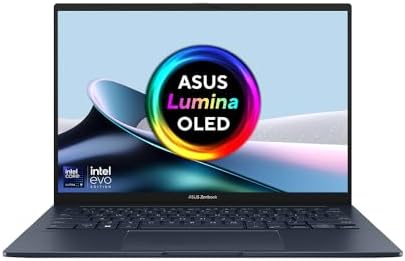
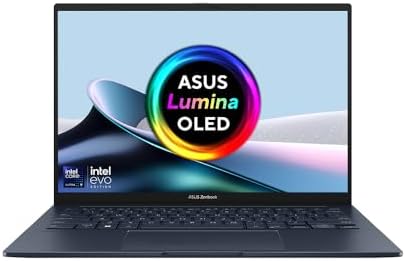
Intel Core Ultra 9 example specifications
- Processor: Core Ultra 9
- Neural engine: Yes
- Memory: 32 GB
- Memory type: LPDDR5X
- Operating system: Windows 11 Home
- Battery: 75 Wh
- Wi-Fi: Wi-Fi 7
Intel Core Ultra, shown here by a Core Ultra 9, is the safe, do-everything Windows chip. As an x86 processor it runs the widest range of Windows software and peripherals with no emulation, and newer Core Ultra models add a fast neural engine for Copilot+ features. It does not match Apple silicon or Snapdragon for pure battery life, but it is the most flexible choice and shows up in the widest range of laptops. It is the default pick if you want Windows and maximum compatibility.
Intel Core Ultra - pros and cons
Where to buy
Check price
AMD Ryzen AI: strong multicore and graphics

AMD Ryzen AI 9 example specifications
- Processor: AMD Ryzen AI 9 HX 370
- Neural engine: Yes
- Memory: 32 GB
- Operating system: Windows 11
- Display: OLED
- Battery: 96 Wh
AMD Ryzen AI, shown here by a Ryzen AI 9 HX 370, is the other x86 Windows option, and its strengths are multicore performance and integrated graphics. Ryzen's built-in Radeon graphics are the best you will find without a discrete GPU, which makes these chips a favourite for creators and light gaming, and the newest models carry a Copilot+ neural engine. Compatibility matches Intel because both are x86. It is the pick when you want strong all-round performance and better integrated graphics than Intel in a Windows laptop.
AMD Ryzen AI - pros and cons
Where to buy
Check price
Qualcomm Snapdragon X: the battery champion
Processor
Qualcomm Snapdragon X1-26-100
Memory
16 GB
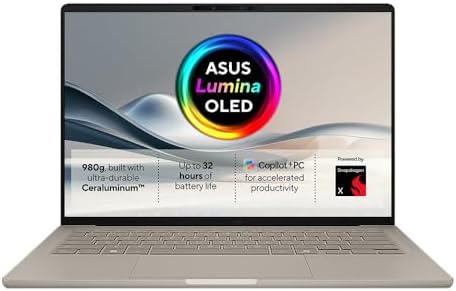
Qualcomm Snapdragon X example specifications
- Processor: Qualcomm Snapdragon X1-26-100
- Memory: 16 GB
- Memory type: LPDDR5X
- Operating system: Windows 11
- Display: OLED
- Battery: 70 Wh
- Weight: 0.98 kg
Qualcomm Snapdragon X, shown here by a Snapdragon X laptop, brings the Arm efficiency story to Windows. These chips deliver all-day battery in thin, light, often fanless designs, and they carry a fast neural engine that made them the first Copilot+ PCs. The catch is compatibility: Snapdragon runs many Windows apps natively but falls back to emulation for others, which is fine for browsing, office work and streaming but worth checking for niche or professional software. It is the pick when battery life and low weight matter most and your apps are supported.
Qualcomm Snapdragon X - pros and cons
Radar · 0-100 scores
- Zenbook 14 OLED UX3405CA
- MacBook Pro 14-inch M5
- ASUS ProArt 16 OLED H7606WI
- ASUS Zenbook A14 OLED UX3407QA
Laptop processors at a glance
| Trait | Apple M | Intel Core Ultra | AMD Ryzen AI | Snapdragon X |
|---|---|---|---|---|
| Architecture | Arm | x86 | x86 | Arm |
| Runs | macOS | Windows | Windows | Windows |
| Battery life | Excellent | Good | Good | Excellent |
| App compatibility | macOS native | Full x86 | Full x86 | Some emulation |
| Integrated graphics | Strong | Modest | Best in class | Modest |
| On-device AI (NPU) | Neural Engine | Copilot+ | Copilot+ | Copilot+ |
| Best for | Battery, macOS | All-round Windows | Creators, graphics | Battery, light Windows |
Which processor should you buy
Choose Apple M-series for battery and macOS
If you want the longest battery, the quietest machine and you are happy on macOS, Apple silicon is the pick. It leads on performance per watt and pairs with the best-built laptops.
Choose Intel or AMD for Windows compatibility
If you need Windows and run a wide range of software, an x86 chip removes any emulation worry. Pick Intel Core Ultra for the widest model choice, or AMD Ryzen AI for stronger multicore and the best integrated graphics.
Choose Snapdragon X for battery on Windows
If you want Apple-like battery life but need Windows, and your apps are supported, Snapdragon X is the efficient, lightweight pick. Check any niche or professional software runs before you buy.
Verdict
There is no single best laptop processor, only the best one for your platform and priorities. Apple M-series wins on efficiency but needs macOS. Intel Core Ultra is the broad Windows all-rounder. AMD Ryzen AI adds stronger multicore and graphics. Snapdragon X brings the best Windows battery life with a compatibility caveat. Decide on macOS or Windows first, then let battery, graphics and app needs pick the family. See our best laptop UK 2026 picks for models in each camp.
Frequently asked questions
Which laptop processor is best in 2026?
There is no single best laptop processor. Apple M-series leads on battery and efficiency but only runs macOS. Intel Core Ultra is the broadest Windows all-rounder. AMD Ryzen AI has the best integrated graphics. Qualcomm Snapdragon X gives the best Windows battery life. Choose macOS or Windows first, then let battery, graphics and app needs decide the family.
What is the difference between Arm and x86 laptop processors?
Arm chips, such as Apple M-series and Qualcomm Snapdragon X, are built for efficiency and give the best battery life. x86 chips, such as Intel Core Ultra and AMD Ryzen, are built for the widest software compatibility and run every Windows app natively. Arm Windows laptops run some older apps through emulation.
Is Apple M-series faster than Intel and AMD?
Apple M-series leads on performance per watt, which is why MacBooks run cool, quiet and long on a charge. For raw multicore work, high-end Intel Core Ultra and AMD Ryzen chips are competitive, and AMD has the stronger integrated graphics. The catch is that Apple silicon only runs macOS.
Are Snapdragon X laptops compatible with Windows apps?
Mostly, yes. Qualcomm Snapdragon X runs many Windows apps natively and falls back to emulation for others, which works well for browsing, office work and streaming. Check that any niche or professional software you rely on is supported before buying, as a few apps still run poorly or not at all under emulation.
What is an NPU in a laptop processor?
An NPU, or neural processing unit, is a part of the chip that runs AI tasks locally instead of in the cloud. On Windows, a fast NPU earns the Copilot+ PC label and powers features such as live captions and image tools. Apple calls its version the Neural Engine. All four processor families here include one.