

Our monitor picks
Best gaming monitor UK 2026: LG UltraGear 27GS95QE OLED, LG 27GS85Q IPS, Samsung Odyssey G5 ultrawide and Z-Edge 27" 240Hz ranked on panel, refresh and value.
On this page
At a glance
The LG UltraGear 27GS95QE is the best gaming monitor for PC Compare Electronic tracks in the UK in May 2026 at £449.99. The 27GS95QE ships a 26.5" WOLED panel at 240 Hz with a 0.03 ms response time and a 1,300-nit peak HDR brightness, three numbers that put it ahead of every IPS or VA panel on the catalogue. The LG UltraGear 27GS85Q at £279 is the IPS 200 Hz value pick. The Samsung Odyssey G5 LC34G55TWWRXXU at £282.99 is the cheapest 34" 165 Hz ultrawide tracked. The Z-Edge 27" 1440p 240 Hz at £159.99 is the strongest budget pick.
Panel types in 2026: OLED, IPS, VA
The panel technology determines almost every observable trait of a gaming monitor: response time, contrast, viewing angle, colour accuracy, and HDR. Three panel types matter in 2026.
- WOLED / QD-OLED: Per-pixel emissive panels. Infinite contrast (each pixel switches off completely for true black), 0.03 ms response time, the widest colour gamut. The headline trade-off is risk of burn-in over years of static UI elements such as Windows taskbars. The LG UltraGear 27GS95QE uses WOLED.
- IPS (In-Plane Switching):The current-generation workhorse panel. 1 ms response time, wide colour gamut (95-98% DCI-P3 on the best panels), wide viewing angles, no burn-in risk. The trade-off is contrast (typically 1,000:1) and IPS glow at extreme angles. The LG UltraGear 27GS85Q and Z-Edge 27" both use IPS.
- VA (Vertical Alignment): Higher native contrast than IPS (3,000-4,000:1), the right choice for dark-room gaming. Response time is slower than IPS in the best panels and trails OLED entirely. Most curved gaming monitors use VA. The Samsung Odyssey G5 LC34G55 uses VA.
Resolution and refresh: what your GPU can drive
The right resolution depends on the GPU in the gaming PC. An RTX 5060 hits 1440p high-refresh at most settings; an RTX 5070 hits 1440p ultra and starts to handle 4K at high; an RTX 5070 Ti or RTX 4080 is the entry point for 4K 60 fps with ray tracing on; the RTX 5090 drives 4K 120 fps + ray tracing in current AAA. See Best gaming PC UK 2026 for matching builds.
- 1440p (2,560 x 1,440) is the sweet spot in 2026. Best balance of sharpness, frame rate, and GPU load. Every recognisable mid-range to high-end gaming GPU in 2026 is designed around 1440p as the target resolution.
- 4K (3,840 x 2,160) is GPU-hungry. Drives 4x the pixels of 1080p and double the pixels of 1440p. Only recommended on RTX 4080-class or stronger GPUs.
- 21:9 ultrawide (3,440 x 1,440) gives you sideways real estate.Excellent for racing sims, flight sims, and productivity multi-pane workflows. Many competitive shooters either don't support it or cap the field of view at 16:9 by anti-cheat rules.
- Refresh rate: 144-165 Hz is the entry point. 240 Hz is the competitive shooter standard. 480 Hz and higher is the bleeding edge for esports pros, and the extra refresh is invisible to most untrained eyes.
1. LG UltraGear 27GS95QE - best 1440p OLED gaming monitor

LG UltraGear 27GS95QE specifications
- Size: 26.5 inch
- Panel: WOLED
- Refresh rate: 240 Hz
- Response time: 0.03 ms
- Peak brightness: 1300 nits
- Contrast ratio: 1500000:1
- HDR: VESA DisplayHDR True Black 400
- Adaptive sync: FreeSync + NVIDIA G-Sync
- Height adjust: 110 mm
- Pivot / swivel / tilt: Yes / Yes / Yes
- VESA mount: 100x100mm
- HDMI ports: 2
- DisplayPort: 1
The LG UltraGear 27GS95QE is the strongest 1440p gaming monitor Compare Electronic tracks in the UK in May 2026. WOLED panel technology delivers per-pixel emission, which means true black (each pixel switches off entirely for dark scenes) and a 1,500,000:1 contrast ratio. The 240 Hz refresh and 0.03 ms response time are competitive-shooter grade. VESA DisplayHDR True Black 400 certification with a 1,300-nit peak put it ahead of any IPS or VA panel for HDR.
The 27GS95QE supports both AMD FreeSync and NVIDIA G-Sync, so adaptive sync works with every current gaming GPU. The stand adjusts on tilt, swivel, height (110 mm), and pivot, covering every mainstream ergonomic adjustment. The trade-off versus IPS is long-term burn-in risk: static UI elements (Windows taskbar, Discord sidebar, game HUDs) can leave faint ghosts after thousands of hours. LG ships pixel-refresh routines and a 3-year warranty that covers burn-in.
LG UltraGear 27GS95QE - pros and cons
Where to buy
Check price
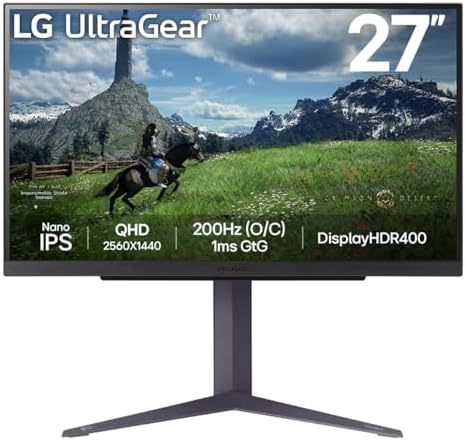
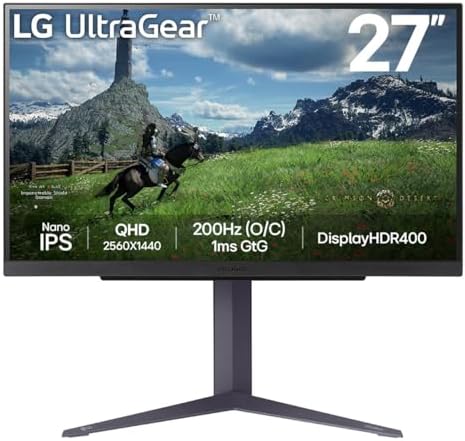
2. LG UltraGear 27GS85Q - best 1440p IPS value
LG UltraGear 27GS85Q specifications
- Size: 27 inch
- Resolution: 1440p
- Panel: IPS
- Refresh rate: 200 Hz
- Response time: 1 ms
- Peak brightness: 400 nits
- Contrast ratio: 1000:1
- Colour gamut: 98% DCI-P3
- HDR: DisplayHDR 400
- Adaptive sync: FreeSync + G-Sync (VRR)
- Aspect ratio: 16:9
The LG UltraGear 27GS85Q delivers an excellent IPS panel at half the OLED's price. 200 Hz refresh and 1 ms response time clear the bar for competitive gaming. 98% DCI-P3 colour gamut coverage and DisplayHDR 400 certification handle colour accuracy and entry-level HDR. FreeSync + G-Sync dual adaptive sync covers every current GPU.
The trade-off versus the OLED 27GS95QE: 1,000:1 contrast (vs OLED's 1,500,000:1), 1 ms response time (vs 0.03 ms), and 400-nit peak brightness (vs 1,300 nits). For most gaming workloads in well-lit rooms the IPS panel is actually the better daily driver: no burn-in risk, brighter for daytime use, and the response time difference is invisible at 1440p high-refresh in real games. The 27GS85Q is the value pick.
LG UltraGear 27GS85Q - pros and cons
Where to buy
Check price
3. Samsung Odyssey G5 LC34G55 - best ultrawide

Samsung Odyssey G5 LC34G55 specifications
- Size: 34 inch ultrawide
- Refresh rate: 165 Hz
- Curvature: 1000R
- Adaptive sync: Yes (FreeSync)
- HDR: HDR10
- HDR10+: Yes
- Weight: 5.6 kg
The Samsung Odyssey G5 LC34G55TWWRXXU is the cheapest 34" 165 Hz ultrawide gaming monitor Compare Electronic tracks at £282.99. The 21:9 aspect ratio at 3,440 x 1,440 resolution delivers roughly 33 percent more horizontal real estate than a standard 27" 16:9 panel. 1000R curvature is the tightest mainstream curvature, matched to the human eye's natural focal radius so the entire screen sits at consistent focus distance.
The 165 Hz refresh rate sits below the 240 Hz competitive standard but above the 144 Hz entry tier. For racing sims (Forza, F1, Le Mans Ultimate), flight sims (MSFS 2024), and immersive single-player AAA, ultrawide beats every 16:9 monitor on raw immersion. For competitive shooters, stick with 16:9, because many anti-cheat systems cap field of view at 16:9 regardless of monitor.
Samsung Odyssey G5 LC34G55 - pros and cons
Where to buy
Check price
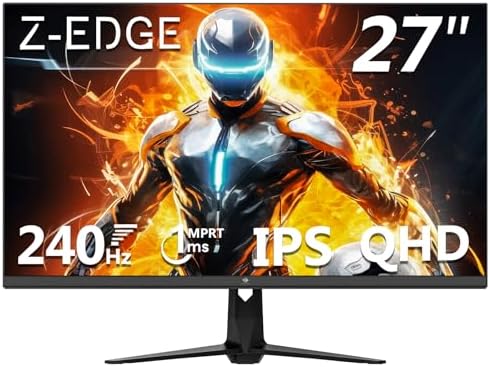
4. Z-Edge 27" 1440p 240Hz - best budget gaming monitor
Z-Edge 27" 1440p 240Hz specifications
- Size: 27 inch
- Panel: IPS
- Refresh rate: 240 Hz
- Response time: 1 ms
- HDR: HDR10
- HDR10+: Yes
- Adaptive sync: Yes (FreeSync)
- Speakers: Yes
- VESA mount: Yes
The Z-Edge 27" 1440p 240Hz at £159.99 is the cheapest 240 Hz 1440p IPS monitor Compare Electronic tracks in the UK in May 2026. Z-Edge isn't a household brand the way LG or Samsung are, but the spec sheet is competitive: 27" IPS panel, 1440p resolution, 240 Hz refresh, 1 ms response, HDR10, FreeSync. Built-in speakers and VESA mount support round it out.
The trade-off versus the £279 LG UltraGear 27GS85Q at the same panel type and resolution: 5-year colour-gamut spec quoted by Z-Edge tends to sit lower than LG's 98% DCI-P3, brand reputation is weaker for long-term reliability, and HDR certification is HDR10 (a marker, not a brightness requirement) rather than VESA DisplayHDR 400. For buyers on a tight budget who want 240 Hz at 1440p, the Z-Edge is the right entry point.
Z-Edge 27" 1440p 240Hz - pros and cons
Where to buy
Check price
Radar · 0-100 scores
- LG UltraGear 27GS95QE 27" 1440p OLED
- LG UltraGear 27GS85Q
- Samsung Odyssey G5 LC34G55TWWRXXU
- Z-Edge 27 Inch 1440p 240Hz Gaming Monitor
Best gaming monitor UK 2026 spec sheet
| Spec | 27GS95QE OLED | 27GS85Q IPS | Odyssey G5 34" | Z-Edge 27" |
|---|---|---|---|---|
| Live price | £519 | £280 | £259 | £200 |
| Size | 26.5 inch | 27 inch | 34 inch | 27 inch |
| Resolution | 1440p | 1440p | 3440 x 1440 | 1440p |
| Panel | WOLED | IPS | VA | IPS |
| Refresh rate | 240 Hz | 200 Hz | 165 Hz | 240 Hz |
| Response time | 0.03 ms | 1 ms | 1 ms (MPRT) | 1 ms |
| Peak brightness | 1300 nits | 400 nits | — | — |
| Contrast | 1500000:1 | 1000:1 | 3000:1 (VA) | 1000:1 (IPS) |
| HDR | VESA DisplayHDR True Black 400 | DisplayHDR 400 | HDR10 | HDR10 |
| FreeSync | Yes | Yes | Yes | Yes |
| G-Sync | Yes | Yes | — | — |
| Curvature | Flat | Flat | 1000R | Flat |
How do you choose the best gaming monitor?
Choose the best gaming monitor in three steps: match the resolution to your graphics card, pick a refresh rate for the games you play, then pick the panel type for your room. The four notes below cover each decision, plus the sync standards.
Match the resolution to the GPU
Buying a 4K monitor for a system with an RTX 5060 means dropping the resolution to 1440p in every game anyway. Buying a 1080p monitor for an RTX 5080 wastes half the GPU. 1440p is the safe sweet spot for any RTX 5060-class or stronger gaming PC in 2026.
Refresh rate above 144 Hz only matters competitively
Going from 60 Hz to 144 Hz is a transformative jump that every gamer feels. Going from 144 Hz to 240 Hz is a real but smaller improvement that competitive shooter players value. Going from 240 Hz to 480 Hz is a marginal gain that only matters at the top of esports play. The 27GS85Q at 200 Hz and the Z-Edge at 240 Hz cover the practical ceiling for almost everyone.
HDR certification tells you what the panel can do
DisplayHDR 400 is the entry-level certification, meaning roughly 400 nits peak brightness with 10-bit colour depth. It's a small but real upgrade over non-HDR. DisplayHDR 600 / 1000 require local dimming and deliver visible HDR contrast. VESA DisplayHDR True Black 400 (the 27GS95QE's tier) is the OLED equivalent: the same nit ceiling but infinite contrast.
G-Sync, FreeSync, or both?
Both FreeSync and G-Sync solve the same problem: matching monitor refresh to GPU frame output so you never see screen tearing or stuttering. FreeSync is open-source and works with any AMD or NVIDIA GPU. G-Sync is NVIDIA's proprietary tech but most modern G-Sync Compatible monitors also pass FreeSync. The 27GS95QE and 27GS85Q support both; the Odyssey G5 and Z-Edge support FreeSync only, which still works on NVIDIA GPUs via the G-Sync Compatible mode.
On a tighter budget?
The Z-Edge 27" 240 Hz is the cheapest pick on this list, but it is not the only route to 1440p high refresh. The LG UltraGear 27G610A pairs a 27-inch 1440p IPS panel with 200 Hz and DisplayHDR 400, and it leads the best budget gaming monitor ranking.
Verdict
The LG UltraGear 27GS95QE at £449.99 is the best gaming monitor for PC Compare Electronic tracks in the UK in May 2026. WOLED panel at 240 Hz with 0.03 ms response and a 1,300-nit peak HDR brightness put it ahead of every IPS or VA panel for competitive shooter clarity, single-player AAA immersion, and HDR. The LG UltraGear 27GS85Q at £279 is the IPS value pick: 200 Hz, 98% DCI-P3, no burn-in risk. The Samsung Odyssey G5 LC34G55 at £282.99 is the ultrawide pick at 34" and 1000R curvature. The Z-Edge 27" 240Hz at £159.99 is the strongest budget entry point. To pair the monitor with a gaming PC, see Best gaming PC UK 2026. For headsets, keyboards, and mice, see Best gaming headset UK 2026, Best gaming keyboard UK 2026, and Best gaming mouse and mouse pad UK 2026.
Frequently asked questions
What is the best gaming monitor for PC in the UK in 2026?
The LG UltraGear 27GS95QE at £449.99 is the best gaming monitor for PC Compare Electronic tracks in the UK in May 2026. The 27GS95QE ships a 26.5-inch WOLED panel at 240 Hz with a 0.03 ms response time, a 1,300-nit peak HDR brightness, VESA DisplayHDR True Black 400 certification, and dual FreeSync + NVIDIA G-Sync support.
Is a 1440p or 4K gaming monitor better in 2026?
1440p is the sweet spot for most gaming PCs in 2026. 1440p balances sharpness with frame rate at the resolution every recognisable mid-range to high-end GPU is designed around. 4K requires an RTX 4080 / RTX 5080 or stronger GPU to drive at 60+ fps with ray tracing on. For RTX 5060 to RTX 5070 systems, 1440p is the right resolution.
OLED or IPS for gaming?
OLED delivers infinite contrast (true black), 0.03 ms response time, and the widest colour gamut. IPS delivers 1 ms response, no burn-in risk, and brighter peak output for daytime use. For dark-room single-player gaming and HDR, OLED wins. For mixed daily use including productivity and well-lit rooms, IPS is the safer long-term choice.
How much refresh rate do I need on a gaming monitor?
144-165 Hz is the entry point for gaming monitors in 2026. 200-240 Hz is the competitive shooter sweet spot. 480 Hz and above is bleeding-edge esports territory and the difference is hard to detect above 240 Hz for most players. The LG UltraGear 27GS95QE and Z-Edge 27" both ship at 240 Hz; the 27GS85Q runs at 200 Hz.
Are ultrawide monitors good for gaming?
Ultrawide monitors (21:9, typically 34-inch at 3,440 x 1,440) are excellent for racing sims, flight sims, and single-player AAA where field of view scales beyond 16:9. Many competitive shooters either don't render at 21:9 or their anti-cheat caps the field of view at 16:9. The Samsung Odyssey G5 LC34G55 at £282.99 is the cheapest 34" 165 Hz ultrawide tracked.
What is the difference between FreeSync and G-Sync?
FreeSync and G-Sync are competing adaptive sync standards that match monitor refresh rate to GPU frame output so you never see screen tearing. FreeSync is AMD's open standard and works on any modern GPU. G-Sync is NVIDIA's proprietary tech but most G-Sync Compatible monitors also pass FreeSync. The LG UltraGear 27GS95QE and 27GS85Q support both natively.
What is the best gaming monitor under £200?
The Z-Edge 27-inch 1440p 240 Hz is the cheapest pick in this ranking at £159.99 (May 2026), and it is the fastest monitor here for the money. The LG UltraGear 27G610A is the alternative: a 27-inch 1440p IPS panel at 200 Hz with a 1 ms response time and DisplayHDR 400, and it leads Compare Electronic's budget gaming monitor ranking.