

How much memory is enough?
Sixteen gigabytes suits many photo and audio tasks; 32GB adds room for large timelines and concurrent apps. Compare MacBook Pro, XPS and ProArt options.
On this page
At a glance
Is 16GB enough for creative laptop work?
Sixteen gigabytes is enough for many photo, design, audio and moderate video workflows. Thirty-two gigabytes is the safer choice for large timelines, 3D scenes and several demanding applications open together. The MacBook Pro 14-inch M5 listing considered here has 16GB unified memory and a 1TB SSD; its Amazon UK price was £1,899.97 at the time of writing (October 2026). Apple confirms the memory is integrated in its MacBook Pro specifications.
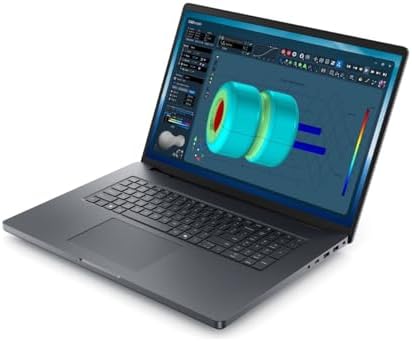
The key difference is project size and concurrency, not the creative label on an application. A photographer working through one set of RAW images has a different need from a video editor layering effects across a long 4K timeline. The 32GB Dell XPS 14 shows that a thin Windows laptop can be configured with more memory, while a Dell Pro Max 18 Plus offers workstation graphics and modular memory options for a very different role.
Which creative workloads benefit from 32GB?
Thirty-two gigabytes helps when a project keeps a large working set in memory. Examples include many full-resolution image layers, a 4K or higher video timeline with effects, a virtual machine alongside design software, or a 3D scene with large textures. It also helps when several applications stay open at once. The extra capacity can reduce pressure on system memory, but it does not remove CPU, GPU or storage bottlenecks.
Sixteen gigabytes remains sensible for single-app work with moderate project sizes. It is a sound starting point for photo editing, web design, vector work, audio recording and short video edits. A 1TB SSD can hold larger source files than a 512GB drive, but storage does not substitute for working memory. When a laptop uses soldered memory, the choice is permanent and deserves more attention than a small processor tier difference.
Read our video editing laptop guide, the photo editing shortlist and our 8GB memory explainer for other workflows and capacities.
Radar · 0-100 scores
- MacBook Pro 14-inch M5 (16GB, 1TB, Space Black)
- XPS 14 (Core Ultra X7 358H)
- Dell Pro Max 18 Plus MB18250 (RTX PRO 3000, 32GB, 1TB)
What does 32GB add over 16GB?

Creative laptop memory options
- MacBook Pro 14-inch M5: 16GB unified memory, fixed at purchase
- Dell XPS 14 2026: 32GB LPDDR5X in the cited configuration
- Dell Pro Max 18 Plus: 32GB DDR5 in the cited configuration
- Dell Pro Max memory options vary by module and SKU
- Storage capacity and memory capacity solve different problems
- Check the software vendor's requirements for actual project sizes
Thirty-two gigabytes doubles the nominal capacity, adding 16GB of working room. That is useful when a project and background apps collectively exceed the comfortable space in a 16GB system. It is not a promise that a 32GB laptop renders twice as fast. If a task is limited by GPU performance, processor speed or export codec, additional memory may not shorten it.
A rough planning test is to add the memory used by the operating system and background apps to the creative application's typical working set. If a project regularly pushes the total close to 16GB, 32GB provides a buffer. The test should use the actual files rather than a sample project. Windows and macOS manage memory differently, so the number shown in one activity monitor is not a direct cross-platform benchmark.
| Work pattern | 16GB assessment | 32GB benefit | Configuration direction |
|---|---|---|---|
| RAW photo selection and edits | Generally sufficient | More room for batches and layers | 16GB for modest libraries |
| Short video, few effects | Usable with a tidy workflow | More concurrent assets | 16GB can fit |
| Long 4K timeline, many effects | Can constrain concurrent work | Useful headroom | Prefer 32GB or higher |
| 3D, virtual machines, multiple apps | Project-dependent | More room for concurrent workloads | Check 32GB or workstation tiers |
The table is an editorial decision framework, not a fixed application requirement. Individual projects vary by footage, image size, effects and plugins. Autodesk, Adobe and other software vendors publish system requirements; use those as a floor and test representative files where a missed export or slow session affects paid work.
MacBook Pro 14-inch M5 with 16GB: trade-offs
Where to buy
Check price
Should you buy 16GB or 32GB in a laptop?
Choose 16GB if the work is mostly one creative application at a time and project files are moderate. Choose 32GB if the machine will hold several large applications open or the work includes 3D, long video timelines or virtual machines. Choose a workstation with replaceable memory when future expansion is part of the plan; Dell lists several module capacities for the Pro Max 18 Plus, though the configuration and service process depend on SKU.
Pay attention to memory type and upgradeability. Apple's unified memory is not a replaceable module. The Dell XPS 14 uses LPDDR5X memory in its 32GB configuration, which is fixed. The larger Dell Pro Max line uses workstation memory modules and is available with several capacities. These machines are not direct price competitors: the XPS is portable, while the Pro Max is a much heavier workstation with a different GPU and screen.
At £1,899.97, the MacBook Pro 14-inch M5 is the 16GB/1TB Amazon UK snapshot at the time of writing (October 2026). Compare that configuration with your own project sizes, not an assumption that all creative users require maximum memory. The graphic design laptop guide and full laptop shortlist can help compare screen, GPU and memory together.
The Dell XPS 14 2026 configuration was £2,499.00 on Amazon UK at the time of writing (October 2026).
The Dell Pro Max 18 Plus listing was £7,419.66 on Amazon UK at the time of writing (October 2026).
Verdict: is 16GB enough for your next creative laptop?
Buy 16GB for moderate creative work and one major application at a time. Buy 32GB when large working sets or concurrent apps are part of a normal day, and consider more for specialist 3D or simulation. The MacBook Pro 14-inch M5 16GB/1TB model is a capable portable creator configuration, but its memory cannot be expanded later.
When uncertain, choose the configuration that matches the largest project expected during the laptop's service life. That is a more useful decision than paying for maximum memory as insurance or assuming every creative app needs 32GB. Confirm software compatibility and the laptop's exact memory architecture before purchasing.
Frequently asked questions
Is 16GB RAM enough for creative work on a laptop?
Sixteen gigabytes is enough for many photo-editing sessions, audio projects, design documents and moderate video work. It becomes restrictive when projects use high-resolution assets, many layers, large timelines or several demanding applications at once. Because modern laptops often solder memory, choose capacity based on the heaviest regular workflow rather than the lightest task.
When should a creative laptop have 32GB RAM?
Choose 32GB when working with long 4K timelines, large RAW photo batches, 3D scenes, virtual machines or multiple creative applications at once. The extra memory gives the operating system more room to keep assets available without swapping as often. It is useful headroom, not a guarantee of faster exports if the application is limited by another component.
Can I upgrade RAM in a MacBook Pro after buying it?
No. Unified memory in a MacBook Pro is integrated with the Apple silicon package and cannot be upgraded after purchase. Select 16GB, 24GB or another available configuration at checkout based on future project needs. The same rule applies to many thin Windows laptops with soldered LPDDR memory, although some larger workstations use replaceable modules.
How much RAM is needed for 4K video editing?
Sixteen gigabytes can edit many 4K projects, especially short timelines and proxy workflows, but 32GB is a safer choice for longer timelines, several tracks and effects. Codec, editor, resolution, footage bit rate and background applications change memory use. Check the software's system requirements and the size of typical client projects before spending more.
Does 32GB make a laptop last longer?
Thirty-two gigabytes can preserve multitasking headroom as applications and project files grow, but it does not guarantee a longer hardware lifespan. Battery wear, storage failure, software support and repairability also matter. For a laptop with soldered memory, buying 32GB upfront can make sense when the owner expects to keep it through several years of increasingly demanding creative work.
Is 32GB worth it for Photoshop and Lightroom?
Thirty-two gigabytes is worthwhile for large image libraries, panoramas, many active layers and running Photoshop with Lightroom and other software together. A photographer editing a few images at a time can often work comfortably with 16GB. The best decision comes from the actual catalogue size, image resolution and number of apps kept open, rather than the program names alone.