
Our capture card picks
Best capture cards UK 2026: Elgato 4K Pro (PCIe), AVerMedia GC553G2 (USB) and Elgato HD60 S for 1080p consoles, ranked on capture, passthrough and price.
On this page
At a glance
The Elgato 4K Pro Capture Card is the best capture card Compare Electronic tracks in the UK in May 2026 at £221. The 4K Pro is an internal PCIe card that captures 4K at 60 fps and passes through 8K at 60 Hz or 4K at 240 Hz. The AVerMedia GC553G2 Live Gamer ULTRA 2.1 at £190 is the strongest external USB pick. The Elgato HD60 S at £108 is the simplest answer for console streamers locked to 1080p60.
When you actually need a capture card
A capture card converts an HDMI signal into something your PC can record or stream. You need one in two situations. The first is a two-PC streaming setup: a gaming PC drives the game, an HDMI cable carries the output to a streaming PC, the capture card sits in the streaming PC and feeds OBS. That split keeps encoder load and screen-share overlays off the gaming machine, which matters for competitive shooters where every frame counts.
The second is console streaming. A PS5, Xbox Series X, or Switch will never run OBS on its own. You plug the console into the capture card, the capture card into the streaming PC, and now the PC sees the console feed as a webcam-style source. If you stream from a single gaming PC and only record the screen, you do not need a capture card. Use OBS and the built-in display capture instead.
Internal PCIe versus external USB
Internal PCIe capture cards sit inside the streaming PC and talk to the system over a x4 PCIe slot. Bandwidth is high, latency is the lowest of any consumer capture path, and there are no USB cables to fall out of the back of a desk. The trade-off is a fixed install: you cannot move the card between laptops, and you need a free PCIe slot.
External USB capture boxes sit between the HDMI source and the streaming PC and connect over USB 3. Setup is plug and play, the same box works on a desktop or a streaming laptop, and you can move it to a friend's house for an afternoon. The trade-off is a small amount of added latency on the preview window inside OBS, which the passthrough port avoids by sending the unaltered HDMI signal straight back to the gaming monitor.
- Use internal PCIe when: you stream from a dedicated PC tower, you record 4K at 60 fps, you want the lowest possible preview latency, your streaming PC has a spare x4 slot.
- Use external USB when: you stream from a laptop, you might rebuild the streaming PC later, you want one capture card you can lift and move between setups, you stream consoles.
- Passthrough is mandatory either way: without it the gaming PC or console only sees the capture card's framerate. A 4K 144 Hz monitor on a card with 1080p passthrough drops you to 1080p on the source.
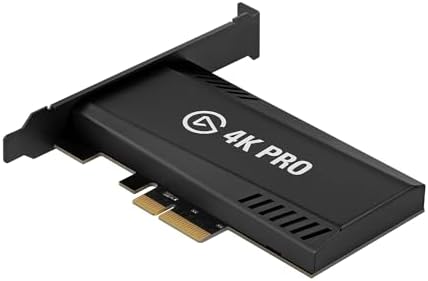
1. Elgato 4K Pro Capture Card - best overall

Elgato 4K Pro Capture Card specifications
- Form factor: Internal
- Max capture resolution: 4K60
- Max capture fps: 240
- Passthrough resolution: 8K60
- Passthrough refresh: —
- HDR support: HDR10
- Connection: PCIe Gen 3 x4
The Elgato 4K Pro is the capture card you buy when the streaming PC is a permanent fixture and you want zero compromises on the passthrough side. The internal PCIe form factor means the card sits on the streaming PC's bus rather than competing with whatever else is on USB. 4K capture at 60 fps is the ceiling for almost every modern console and most PC games, and the 8K-at-60 or 4K-at-240 passthrough means the gaming monitor stays at full refresh while recording happens silently in the background.
The Elgato 4K Capture Utility is the polish people pay for. Recording starts and stops with a single button, the preview window has tunable latency, and OBS sees the card as a clean video source. HDR10 passes through correctly so your PS5 or Xbox Series X HDR setup is not flattened on the gaming monitor.
Elgato 4K Pro Capture Card - pros and cons
Where to buy
Check price
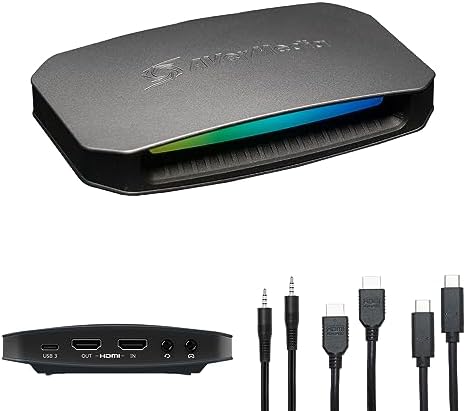
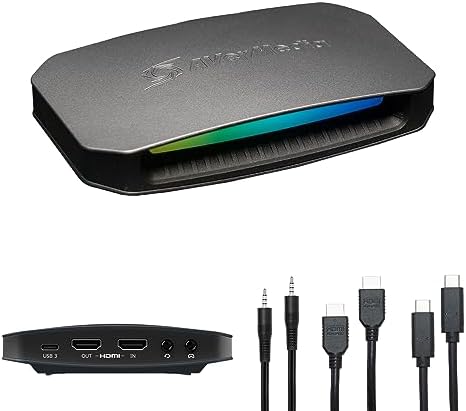
2. AVerMedia GC553G2 Live Gamer ULTRA 2.1 - best external
AVerMedia GC553G2 specifications
- Form factor: External USB 3
- Max capture resolution: 4K60
- Max capture fps: 60
- Passthrough resolution: 4K144
- Passthrough refresh: —
- HDR support: HDR10
- Connection: USB 3.2 Gen 1
The AVerMedia GC553G2 is the external box people who do not want to crack open a PC end up with. USB 3 connection, plug-and-play in OBS, captures 4K at 60 fps and passes 4K at 144 Hz back to the gaming monitor. That 144 Hz passthrough is the line in the sand. Most cheap USB capture boxes cap passthrough at 60 Hz, which means a 144 Hz or 240 Hz gaming monitor reverts to 60 Hz the moment you plug in. The GC553G2 keeps the gaming feed competitive.
AVerMedia's RECentral software does the heavy lifting if you do not want to learn OBS, but the card also exposes a clean source to OBS, Streamlabs, and XSplit. Build quality is metal-bodied with a USB-C input on the back. The trade-off versus the internal Elgato is a tiny amount of preview latency that shows up if you watch the OBS window rather than your gaming monitor.
AVerMedia GC553G2 - pros and cons
Where to buy
Check price
3. Elgato HD60 S - best for 1080p console streaming

Elgato HD60 S specifications
- Form factor: External USB 3
- Max capture resolution: 1080p
- Max capture fps: 60
- Passthrough resolution: 1080p
- HDR support: No
- Connection: USB 3
The Elgato HD60 S is the capture card that built console streaming. It captures 1080p at 60 fps over USB and the Elgato software stack is as polished as it gets. If you stream a PS5, Xbox Series X, or Switch at 1080p60 and you do not care about 4K or HDR right now, this is still the path of least resistance in 2026. It is also the cheapest way to record gameplay clips for highlight reels without a second PC.
The honest limitation: 1080p passthrough means a 4K HDR console feed gets dropped to 1080p on the gaming monitor when you are recording. For YouTube clips this does not matter. For live competitive play on a 4K TV, it does. If either of those describes you, step up to the GC553G2 or the 4K Pro.
Elgato HD60 S - pros and cons
Where to buy
Check price
Radar · 0-100 scores
- Elgato 4K Pro Capture Card
- AVerMedia GC553G2 Live Gamer ULTRA 2.1
- Elgato Game Capture HD60 S - Stream and Record in 1080p60
Best capture cards UK 2026 spec sheet
| Spec | Elgato 4K Pro | AVerMedia GC553G2 | Elgato HD60 S |
|---|---|---|---|
| Live price | £200 | £170 | £211 |
| Form factor | Internal | External USB | External USB |
| Max capture | 4K60 | 4K60 | 1080p |
| Max capture fps | 240 | 60 | 60 |
| Passthrough | 8K60 | 4K144 | — |
| HDR | HDR10 | HDR10 | No |
| Connection | PCIe Gen 3 x4 | USB 3.2 Gen 1 | USB 3 |
Latency and passthrough, properly explained
Every capture card adds a tiny delay to the version of the feed it sends to the streaming PC. That delay is why a competitive player should never look at the OBS preview to aim. The passthrough port exists to solve that problem. The HDMI signal from the source is split: one branch goes through the card and into OBS for streaming, the other branch goes out of the passthrough port and into the gaming monitor with zero added latency.
What you need to check: the passthrough resolution and refresh rate must match or exceed your gaming monitor. A 1080p passthrough capture card with a 4K 144 Hz monitor drops you to 1080p whenever the card is in the chain. The Elgato 4K Pro and the GC553G2 both go beyond the resolution they capture (8K-60 and 4K-144 respectively), so the gaming monitor never notices the capture card is there.
Capture card software in 2026
The software bundled with the card matters more than people expect. Capture cards are a piece of kit you set up once and use forever, and the software is what you interact with every stream. Three categories to understand:
- Elgato 4K Capture Utility: The polished standard. Direct recording with single-button start and stop, configurable preview latency, native Stream Deck triggers. Ships with both the HD60 S and the 4K Pro.
- AVerMedia RECentral: Functional but dated. Most GC553G2 owners drop it within a week and run the card directly into OBS. The card itself is excellent; the bundled software is the weakest part of the box.
- OBS Studio (free): The capture card shows up as a Video Capture Device source in OBS. Frame rate, resolution, and colour space are tunable per scene. If you stream to Twitch or YouTube already, OBS is the path of least resistance regardless of which card you buy.
Mistakes to avoid when buying a capture card
- Ignoring passthrough refresh: A 4K capture card with 4K-60 passthrough drops a 144 Hz gaming monitor to 60 Hz. Check the passthrough specs against your monitor before you buy.
- Cheap unbranded 4K USB boxes: The £15 "4K HDMI to USB" capture cards on Amazon claim 4K capture and are almost always 1080p devices that pass a 4K signal through to the OBS source without recording at 4K. Read the actual capture resolution, not the box.
- USB 2 cables on USB 3 cards: The included cable matters. A USB 2 cable on a USB 3 capture card silently drops frames. Use the cable in the box, or buy a USB 3.2 Gen 1 replacement of equal length.
- HDCP on streaming sources: Capture cards block streaming services like Netflix and Disney Plus by design. They do not block console gameplay. If an OBS preview is black on a PS5, check the system HDMI-CEC settings and disable HDCP for the HDMI port.
Verdict
The Elgato 4K Pro Capture Card at £221 is the best capture card Compare Electronic tracks in the UK in May 2026. The 4K Pro is an internal PCIe x4 card that captures 4K at 60 fps, passes 8K at 60 Hz or 4K at 240 Hz, supports HDR10 end to end, and ships with the Elgato 4K Capture Utility and Stream Deck integration. The AVerMedia GC553G2 Live Gamer ULTRA 2.1 at £190 is the right pick if you stream from a laptop or want a portable USB box, since its 4K-144 passthrough keeps a gaming monitor competitive while capturing. The Elgato HD60 S at £108 is still the simplest way to stream a console at 1080p60.
For the streaming PC that pairs with these cards, see Best gaming PC UK 2026. If you stream with a microphone rather than a gaming headset, see Best IEMs for gaming UK 2026 for the audio half of the setup.
Frequently asked questions
What is the best capture card in the UK in 2026?
The Elgato 4K Pro Capture Card at £221 is the best capture card Compare Electronic tracks in the UK in May 2026. The 4K Pro is an internal PCIe x4 card that captures 4K at 60 fps, passes 8K at 60 Hz or 4K at 240 Hz, supports HDR10 end to end, and ships with the Elgato 4K Capture Utility and Stream Deck integration.
Do I need a 4K capture card for streaming?
No. Twitch caps incoming streams at 1080p60 for almost every account, and YouTube downscales most viewers below 4K anyway. A 4K capture card matters if you record gameplay for editing, upload to YouTube at native resolution, or stream from a PS5 or Xbox Series X at 4K and want the gaming monitor to keep its full resolution through the passthrough port.
Is an internal PCIe capture card better than an external USB one?
An internal PCIe capture card has lower preview latency, more bandwidth headroom, and no USB cable failure modes. An external USB capture card is portable, works on laptops, and plugs in without cracking the streaming PC open. For a permanent streaming desk PC the internal PCIe option wins. For a streaming laptop or rotating setups the external USB box is the right call.
What does passthrough resolution mean on a capture card?
Passthrough resolution is the HDMI signal the capture card sends straight back to the gaming monitor without going through the encoder. A 1080p passthrough card drops a 4K 144 Hz monitor to 1080p whenever the card is in the chain. The Elgato 4K Pro passes 8K at 60 Hz or 4K at 240 Hz; the AVerMedia GC553G2 passes 4K at 144 Hz.
Can I use a capture card with a PS5 or Xbox Series X?
Yes. All three picks on this shortlist accept HDMI input from a PS5, Xbox Series X, or Switch. HDCP is the only catch: HDCP is enabled on streaming services like Netflix and on certain PS5 menus, which makes the capture preview go black. Disable HDCP in the console's HDMI output settings for gameplay capture.
Does a capture card use CPU or GPU resources on the streaming PC?
Almost none. The capture card encodes the incoming HDMI feed to a USB or PCIe video source that OBS reads. The CPU and GPU load on the streaming PC comes from OBS encoding the outgoing stream (H.264 or H.265), not from the capture card. That separation is exactly why two-PC streaming setups exist: the capture card and encoder both live off the gaming PC.