
Panels explained
IPS vs VA vs OLED explained for 2026: how the three monitor panels differ on response time, contrast, brightness, burn-in and price, shown with real monitors.
On this page
At a glance
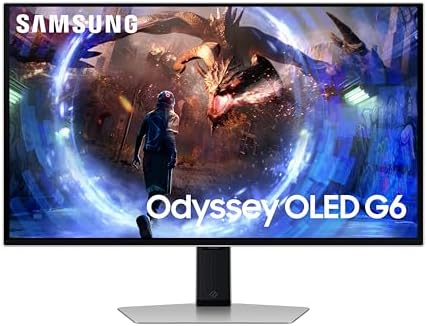
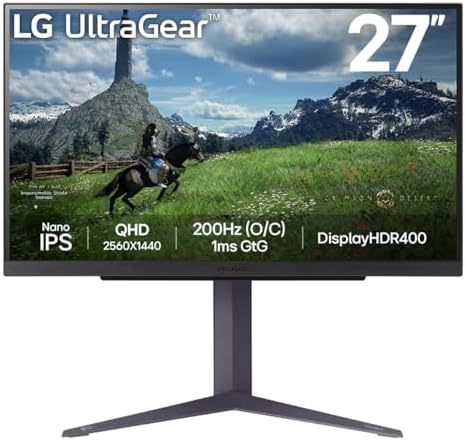
IPS, VA and OLED are the three panel technologies behind almost every gaming monitor sold in the UK in 2026, and they trade off response time, contrast, brightness and price differently. OLED wins on contrast and motion with per-pixel black and a 0.03 ms response. IPS wins on colour accuracy, daytime brightness and longevity with no burn-in risk. VA sits in between, with deeper contrast than IPS at a lower price than OLED. The Samsung Odyssey G6 OLED, the LG UltraGear 27GS85Q IPS and the Samsung Odyssey G5 VA show the differences in hardware.
What IPS, VA and OLED are
- IPS (In-Plane Switching): an LCD panel with a backlight, tuned for accurate colour and wide viewing angles. The current-generation workhorse. Around 1 ms response, no burn-in risk, but limited contrast (typically 1,000:1) because the backlight leaks through black.
- VA (Vertical Alignment): an LCD panel with a backlight whose crystals block light more completely, giving higher native contrast (3,000:1 or more). Slower pixel response than IPS in most panels, and common on affordable curved screens.
- OLED: a self-emissive panel where each pixel makes its own light and switches off for true black. Effectively infinite contrast, a 0.03 ms response, and the widest colour, with a small long-term burn-in risk.
Response time and motion clarity
Response time is how fast a pixel changes colour, and it decides how sharp fast motion looks. OLED leads decisively: a 0.03 ms response on the Samsung Odyssey G6 OLED is around 30 times faster than the 1 ms of the LG UltraGear 27GS85Q IPS, and motion stays crisp with no smearing. IPS is the next best and is fine for the vast majority of players. VA is typically the slowest of the three on dark transitions, which can show as smearing in shadowy scenes. For competitive motion clarity, OLED then IPS then VA.
Contrast and black levels
Contrast is where the order changes. OLED is untouchable: pixels switch fully off for true black and effectively infinite contrast. VA is the best of the LCD panels, with native contrast around 3,000:1, which is why dark scenes look deeper on a VA than on an IPS. IPS is the weakest here at roughly 1,000:1, because its backlight leaks through black and lifts it to dark grey. For dark-room films and atmospheric games, OLED then VA then IPS.
Brightness, longevity and price
IPS and VA backlights can hold high full-screen brightness indefinitely, which suits sunlit rooms and all-day desktop use, and neither has any burn-in risk. OLED hits higher peak brightness on small highlights but dims large bright areas to protect the panel, and it carries a small long-term burn-in risk from static elements. On price, IPS and VA are far cheaper than OLED at the same size and refresh, with VA usually the value floor on curved ultrawides. For an eight-hour work monitor, IPS or VA is the safer long-term buy.
The OLED: Samsung Odyssey G6
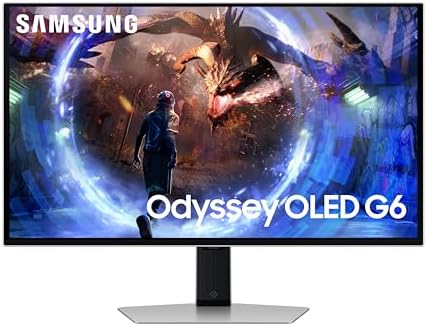
Samsung Odyssey G6 OLED specifications
- Size: 27 inch
- Panel: OLED
- Resolution: 2560x1440
- Refresh rate: 360 Hz
- Response time: 0.03 ms
- Peak brightness: 1000 nits
- HDR: HDR10
- FreeSync: Yes
- G-Sync: Yes
The Samsung Odyssey G6 is a 27" 1440p OLED that runs 360 Hz with a 0.03 ms response time and a 1,000-nit peak. It shows what OLED brings: per-pixel black, the fastest motion of any panel type, and wide colour. It supports FreeSync and G-Sync. The only caveat is the OLED burn-in risk over years of static UI, which makes it a gaming-first rather than a fixed-layout work panel.
Samsung Odyssey G6 OLED - pros and cons
Where to buy
Check price
The IPS: LG UltraGear 27GS85Q
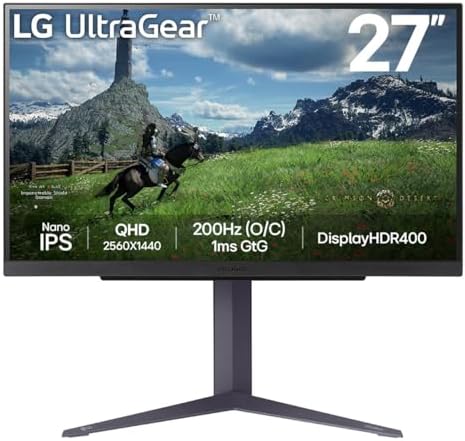
LG UltraGear 27GS85Q specifications
- Size: 27 inch
- Panel: IPS
- Resolution: 1440p
- Refresh rate: 200 Hz
- Response time: 1 ms
- Colour gamut: 98% DCI-P3
- HDR: DisplayHDR 400
- FreeSync: Yes
- G-Sync: Yes
The LG UltraGear 27GS85Q is a 27" 1440p IPS panel at 200 Hz with a 1 ms response time and 98% DCI-P3 colour. It shows IPS's strengths: accurate, wide colour, strong daytime brightness, wide viewing angles, and no burn-in risk. It supports FreeSync and G-Sync. The trade-off is contrast, around 1,000:1, so black looks dark grey next to OLED or VA. For mixed work and play in a well-lit room, IPS is the safe, do-everything panel.
LG UltraGear 27GS85Q - pros and cons
Where to buy
Check price
The VA: Samsung Odyssey G5

Samsung Odyssey G5 specifications
- Size: 34 inch
- Panel: VA
- Resolution: —
- Refresh rate: 165 Hz
- Curvature: 1000R
- HDR: HDR10
- FreeSync: Yes
The Samsung Odyssey G5 LC34G55 is a 34" VA ultrawide at 3440x1440 and 165 Hz with a 1000R curve. It shows VA's niche: native contrast around 3,000:1, well above IPS, so dark scenes have real depth, on an affordable curved panel. It supports FreeSync. The trade-offs are slower dark-transition response than IPS, which can smear in shadowy scenes, and colour and viewing angles that trail IPS. VA is the value pick when you want contrast without paying for OLED.
Samsung Odyssey G5 - pros and cons
Where to buy
Check price
Radar · 0-100 scores
- Samsung Odyssey G6 LS27DG602SUXXU
- LG UltraGear 27GS85Q
- Samsung Odyssey G5 LC34G55TWWRXXU
IPS vs VA vs OLED at a glance
| Trait | OLED | IPS | VA |
|---|---|---|---|
| Black level | True black | Dark grey | Deep grey |
| Contrast | Effectively infinite | ~1,000:1 | ~3,000:1 |
| Response time | 0.03 ms | 1 ms | Slower on dark |
| Peak brightness | High on highlights | High, sustained | High, sustained |
| Viewing angles | Excellent | Excellent | Good |
| Burn-in risk | Small, long term | None | None |
| Relative price | Highest | Mid | Lowest |
| Best for | Dark-room gaming, HDR | Colour work, all-day use | Budget contrast, curved |
Which panel should you buy
Buy OLED for the best gaming picture
If your priority is contrast, motion and HDR, and the screen is mostly for gaming and film, OLED is the best panel. Per-pixel black and a 0.03 ms response are upgrades no LCD can match. The full OLED ranking is in Best OLED gaming monitor UK 2026.
Buy IPS for colour work and all-day use
If you mix gaming with creative work or long desktop sessions, and you want a bright, accurate panel with no burn-in worry, IPS is the safe pick. It is also cheaper than OLED at the same size and refresh.
Buy VA for budget contrast
If you want deeper black than IPS without paying for OLED, and you can live with slower dark-scene response, VA is the value pick, especially on curved ultrawides. See Best ultrawide monitor UK 2026 for VA and OLED ultrawide options.
Verdict
OLED wins on contrast and motion, IPS wins on colour accuracy and longevity, and VA wins on budget contrast. There is no single best panel, only the best panel for your room, budget and use. Gaming-first buyers in a dim room should pick OLED; colour-work and all-day users should pick IPS; budget buyers who want deep contrast should pick VA. For the full monitor rankings, see Best 4K gaming monitor UK 2026.
Frequently asked questions
Is IPS, VA or OLED best for a gaming monitor?
OLED is best for contrast and motion, IPS is best for colour accuracy and all-day use with no burn-in, and VA is best for budget contrast. There is no single winner: pick OLED for dark-room gaming, IPS for colour work, and VA for deep contrast on a budget.
What is the difference between IPS and VA?
IPS has more accurate colour, wider viewing angles and faster response, but lower contrast around 1,000:1. VA has higher native contrast around 3,000:1 for deeper black, but slower dark-scene response and narrower viewing angles. IPS suits colour work; VA suits dark-room contrast on a budget.
Is OLED worth it over IPS for a monitor?
OLED is worth it over IPS for gaming and film: per-pixel black, a 0.03 ms response and the widest colour are upgrades no IPS can match. IPS wins only on price, sustained brightness and no burn-in risk, which matters most for all-day fixed-layout work.
Which monitor panel has the best response time?
OLED has the best response time at 0.03 ms, around 30 times faster than a 1 ms IPS panel, so motion stays sharp with no smearing. IPS is next. VA is usually the slowest on dark transitions, which can show as smearing in shadowy scenes.
Which monitor panel is best for a bright room?
IPS and VA are best for bright rooms because their backlights hold high sustained brightness and they have no burn-in risk. OLED hits high peak brightness on small highlights but dims large bright areas to protect the panel, so it can look dimmer in a sunlit room.
Updated · Sam Reid · More 1440p monitors