

Is 256GB enough?
A 256GB laptop suits browser work and light study, but Windows, apps and personal files reduce usable space. Compare 256GB and 512GB options before buying.
On this page
At a glance
Is 256GB enough for a laptop?
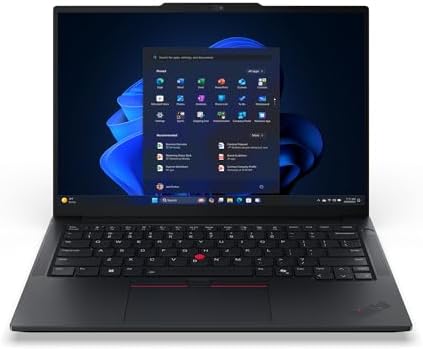
256GB is enough for a laptop used mainly for browser work, documents and streaming, provided the owner keeps large files elsewhere. It is a tight choice for a multi-year main computer because the operating system, applications and updates take part of the drive before personal files arrive. The Lenovo ThinkPad E14 Gen 7 listing pairs 256GB storage with 16GB memory; the Dell XPS 13 and 13-inch MacBook Air M5 examples have 512GB SSDs.
Pick 512GB when the laptop will store a large photo library, games, video footage or course files offline. The ThinkPad E14 Gen 7 configuration was £949.99 on Amazon UK at the time of writing (October 2026). The cited Dell XPS 13 was £829.99 and the MacBook Air M5 was £1,249.00. Compare exact configurations because storage and memory tiers can differ within one product family.
What uses a laptop's 256GB drive?
Windows or macOS, installed apps, caches and recovery data use internal storage alongside personal files. Games and video projects can consume space quickly; documents and streamed media usually use much less. A 256GB drive is a capacity label, not a promise of 256GB free after setup. Keep room for updates and working files instead of filling the SSD to its limit.
Cloud storage works well for documents that are available online, but synchronised folders can retain local copies. An external SSD can hold archives, yet it adds an item to carry and cannot make every application portable. Read the main laptop shortlist and the 16GB versus 32GB memory comparison when balancing memory, storage and price.
Storage needs are driven by what stays on the laptop between clean-ups. A student with lecture PDFs and browser tabs has a different profile from a photographer keeping RAW originals or a developer maintaining virtual machines. Estimate the local working set, then leave room for system updates and temporary exports. Buying less storage can be reasonable when the saving is meaningful and the owner already uses an external drive, but it is a poor compromise if every project must be available away from home.
Lenovo publishes ThinkPad reference sheets by configuration. Dell provides XPS 13 product information, and Apple lists MacBook Air technical specifications. Check the full model code against the retailer listing before purchase.
Radar · 0-100 scores
- Lenovo ThinkPad E14 Gen 7 (Ryzen 5 220, 16GB, 256GB)
- Dell XPS 13 2026 (Core 5 320, 16GB, 512GB)
- MacBook Air 13-inch M5 (16GB, 512GB, Midnight)
Should you choose 256GB or 512GB?

Storage decision
- 256GB: browser work, documents and light app use
- 512GB: larger app library and offline files
- External SSD: useful for archives and media
- Cloud sync: depends on connection and local settings
- Check upgradeability for the exact laptop model
The 512GB XPS 13 listing costs £120.02 less than the cited 256GB ThinkPad E14 listing, while the 512GB MacBook Air costs more because it is a different platform and configuration. That comparison shows why capacity alone does not set laptop value. Compare processor, screen, memory, warranty and operating system alongside storage before treating a larger SSD as the better deal.
A useful storage plan separates active work from archives. Keep current projects and applications on the internal SSD, move completed work to a backed-up external drive or cloud archive, and remove downloads that can be retrieved again. This makes a smaller drive workable for some owners, but it adds routine administration and a second storage device. Someone who wants one laptop to hold every file without maintenance should pay for larger capacity upfront, especially when the drive cannot be upgraded later.
| Use | 256GB | 512GB |
|---|---|---|
| Documents and web apps | Usually sufficient | More headroom |
| Large games or media | Frequent housekeeping | More local capacity |
| Offline travel | Selective downloads | More files available |
These are practical planning categories, not measured drive usage. Review the laptop maker's service information before counting on an internal upgrade. The ThinkPad E14 Gen 7 product family has configuration-specific components, so verify the exact machine's maintenance documentation.
256GB laptop storage
Where to buy
Check price
Verdict: who should buy a 256GB laptop?
Choose 256GB when the laptop's work is mostly online and its files are small. Choose 512GB when it is the main archive for creative projects, games or offline study. The 16GB ThinkPad E14 Gen 7 and 512GB XPS 13 illustrate the capacity choice, while their very different specifications mean the price gap alone cannot decide it.
For related trade-offs, compare 14-inch and 16-inch laptops and how laptop battery capacity is measured.
Frequently asked questions
Is 256GB enough storage for a laptop?
256GB is enough for web browsing, documents, streaming and a modest app library. The operating system, recovery data and installed applications use part of the drive, so it is not all available for personal files. People keeping large photo libraries, games, video projects or offline media should choose 512GB or plan for external storage.
How much usable space does a 256GB laptop have?
A 256GB SSD provides less than 256GB for personal files because the operating system and preinstalled software occupy storage, and manufacturers measure capacity in decimal units. Leave free space for updates and temporary files. The exact amount varies by model and software configuration, so treat 256GB as the drive's capacity rather than guaranteed free space.
Is 256GB enough for university?
256GB can work for a student whose course uses cloud documents and browser tools. It becomes restrictive when coursework includes large datasets, virtual machines, video editing or offline lecture recordings. A 512GB drive gives more room for several years of files; cloud storage can help with documents but does not replace local space for software and active projects.
Can I add storage to a 256GB laptop later?
Some laptops have a replaceable M.2 SSD, while others use soldered or difficult-to-replace storage. Check the service manual for the exact model before assuming an upgrade is possible. An external USB SSD is a simpler option for archives and media, but installed applications and files needed while travelling may still need internal space.
Is 512GB worth paying extra for?
512GB is worthwhile when the laptop will hold a growing photo collection, several large applications, games or offline media. For mostly browser-based work, the extra capacity may sit unused. Compare the price difference with the cost of a reliable external SSD and consider whether you want to manage storage across devices during the laptop's planned ownership period.
Does cloud storage make 256GB enough?
Cloud storage can keep documents and photos accessible without storing every original locally, but it requires a reliable connection for many files. Sync settings may also cache data on the laptop. Cloud storage does not increase SSD capacity, and it is not a substitute for local space for applications, games, video editing or travel without internet access.