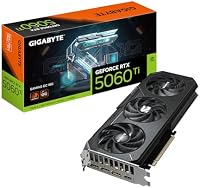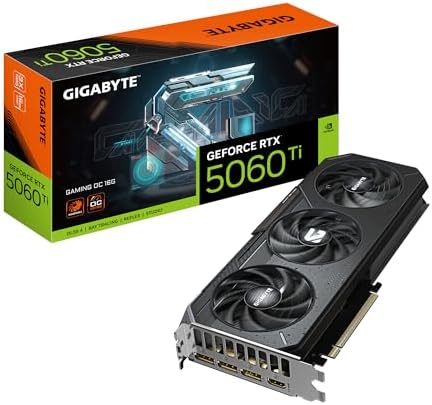
GeForce RTX 5060 Ti Gaming OC 16GB
Gigabyte's GAMING OC take on the RTX 5060 Ti 16GB, with GDDR7 memory, DLSS 4 multi-frame generation, and a 2647 MHz boost for sensible 1080p and entry 1440p builds.
We may earn a commission on purchases via this link. It never affects our scores or rankings.
Why we rate it
- 16GB VRAM is the right call
- DLSS 4 with multi-frame generation
- Strong 1080p ultra and 1440p high
- GDDR7 with dual BIOS
- Narrow 128-bit memory bus
- Skip the 8GB variant entirely
Where the GeForce RTX 5060 Ti Gaming OC 16GB wins and loses
Specifications
General info
Memory
Compute units
Design and cooling
Watch it in action
GeForce RTX 5060 Ti Gaming OC 16GB vs Sapphire Sapphire Pulse RX 9060 XT 16GB
| GigabyteGeForce RTX 5060 Ti Gaming OC 16GBThis page | SapphireSapphire Pulse RX 9060 XT 16GB | |
|---|---|---|
| Overall score | 75 /100 | 75 /100 |
| VRAM | 16 GB | 16 GB |
| Boost clock | 2647 MHz | — |
| Memory type | GDDR7 | GDDR6 |
| Memory bus bit | 128 | — |
Is the GeForce RTX 5060 Ti Gaming OC 16GB right for you?
If you want strong 1080p ultra and capable entry 1440p performance with current-gen DLSS 4 multi-frame generation and 16GB VRAM headroom, the 5060 Ti GAMING OC 16GB hits the sweet spot of the Blackwell range.
If you want strong 1440p ultra or any 4K aspirations, step up to the RTX 5070 or RX 9070. The 5060 Ti is best at 1080p and entry 1440p, not high-refresh 1440p ultra or 4K.
Before you buy
The 16GB. Don't buy the 8GB. The extra VRAM is well worth the typically modest price difference, and 8GB is already feeling tight in modern AAA at 1080p ultra. The 16GB variant is the much smarter buy.
Meaningfully faster across the board with DLSS 4 multi-frame generation and GDDR7 memory replacing the older GDDR6. The 5060 Ti is the genuine upgrade over the previous generation.
Yes at 1440p high with DLSS Quality enabled. Native 1440p ultra is stretched in newer AAA, but DLSS makes 1440p genuinely playable. The narrow 128-bit memory bus is the main limit at higher resolutions.
Nvidia recommends 550W and that's the realistic floor. Most existing quality 650W or higher PSUs will run this card without needing an upgrade, helpful for older builds being refreshed.
Alternatives & similar graphics cards