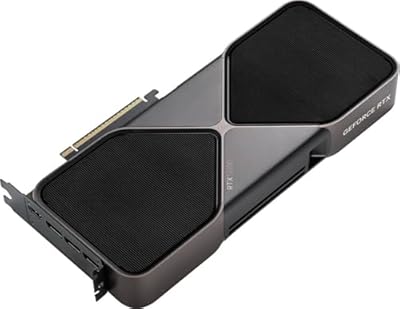
GeForce RTX 5080 AERO OC
The creator-focused 5080 from Gigabyte, with a clean white aesthetic and SFF-ready build, aimed at workstations that double as 4K gaming PCs.
We may earn a commission on purchases via this link. It never affects our scores or rankings.
Why we rate it
- SFF-ready cooler design
- Clean white aesthetic
- DLSS 4 with multi-frame generation
- 16GB of GDDR7 at 30 Gbps
- 360W TDP demands serious power
- AERO premium for the aesthetic
Where the GeForce RTX 5080 AERO OC wins and loses
Specifications
General info
Memory
Compute units
Interface
Power
Design and cooling
Display outputs
Watch it in action
Is the GeForce RTX 5080 AERO OC right for you?
If you render in Blender or DaVinci Resolve and also game at 4K, and you want a card that looks at home on a creator's desk rather than a gaming rig, the AERO OC fits both jobs cleanly. SFF compatibility is a real bonus.
If gaming is your priority and aesthetics don't matter, cheaper 5080 partner cards deliver the same performance for less. The AERO premium goes to looks and SFF compatibility you may not need.
Before you buy
Yes. The 16GB of VRAM handles most 4K video editing and Blender scenes, and CUDA acceleration in Adobe and Blackmagic apps works well. The clean white aesthetic suits professional workstations where gaming-style RGB would feel out of place.
It's designed with Nvidia's SFF compatibility guidelines in mind and is slimmer than the largest 5080 partner cards. You'll still need a case with decent GPU clearance, but it fits where bulkier four-fan cards won't.
Nvidia recommends 850W and that's the realistic floor. With a Core i9 or Ryzen 9 CPU and any manual overclocking, step up to a quality 1000W or 1200W unit for transient spike headroom.
Get the AERO if you want the white aesthetic or SFF compatibility. Get a gaming variant if you want maximum RGB and the chunkier cooler. Performance differences between 5080 partner cards are small.
Alternatives & similar graphics cards