Team

WW

Pro player loadout

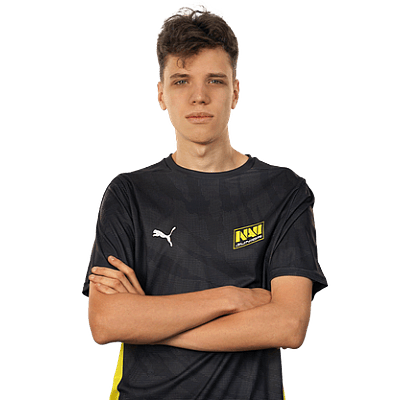
Aunkere

TeamWWRussiaRussiaCS2Verified loadout
Updated 24 May 2026Specs verified
On this page

Copy Aunkere's full setup

Every device Aunkere uses to compete at the highest level. Exact gear, zero guesswork.

  • Real gear, no curation tricks
  • Buy links pull live UK retailer prices
  • Specs match the loadout in this profile
  • Updated whenever the loadout changes
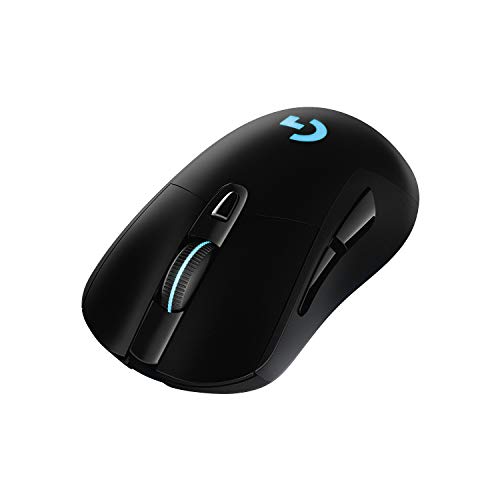
MouseLogitech G PRO X SUPERLIGHT 2
MousepadGear x Team Spirit Cracked
KeyboardG Pro Keyboard
MonitorXL2586X+
HeadsetG Pro X 2 LIGHTSPEED Headset
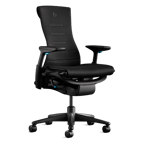
ChairG x Herman Miller Embody
ProcessorAMD Ryzen 7 7800X3D
Graphics cardNVIDIA GeForce RTX 4080

Items in setup

8

Live UK prices on each product

Tap any item to open the live UK retailer page.

CS2 · Quick copy

Most copied settings

The handful of values most players paste straight in. Full reference is below.

Mouse

DPI
500
Sensitivity
2.4
eDPI
1200.00
Polling rate
1000
Zoom sens
1.10

Monitor

Resolution
1024x768
Aspect ratio
4:3
Scaling
Black Bars

Peripherals

Closest same-feel

If the exact pick is out of reach

Hand-tagged lookalikes that share the shape, weight, or feel of Aunkeres gear, ordered by spec score then cheapest UK price.

Budget alternatives

Great performance for less money. Pulled live from each category.

See more budget optionsUK retailers only

Desk and streaming setup

Computer build

Aunkere FAQ

Common questions

What is Aunkere's CS2 sensitivity and DPI?
Aunkere runs 500 DPI with a sensitivity of 2.4, giving him an eDPI of 1200. That's on the higher end for the competitive CS2 scene.
What mouse does Aunkere use in CS2?
Aunkere uses the Logitech G PRO X SUPERLIGHT 2, paired with 1000Hz polling for snappy aim response. His custom Team Spirit Cracked mousepad gives him a familiar surface.
What monitor settings does Aunkere play on?
He plays at 1024x768 resolution on a ZOWIE XL2586X+, a 240Hz monitor that's a classic choice for competitive CS2 players who value clarity and refresh rate.
What is Aunkere's PC setup?
Aunkere's rig is built around the AMD Ryzen 7 7800X3D processor, paired with the Logitech G Pro keyboard and G Pro X 2 LIGHTSPEED headset for consistent inputs and comms.
Can I copy Aunkere's setup on a budget?
The Logitech G PRO X SUPERLIGHT 2 and Logitech G Pro keyboard are premium but well-regarded; consider stepping down to the standard SUPERLIGHT or alternative mechanical keyboards if you need to trim costs.

Teammates

Watch gameplay

Watch Aunkere playing CS2

Opens YouTube search in a new tab