Team

Free Agent

Pro player loadout

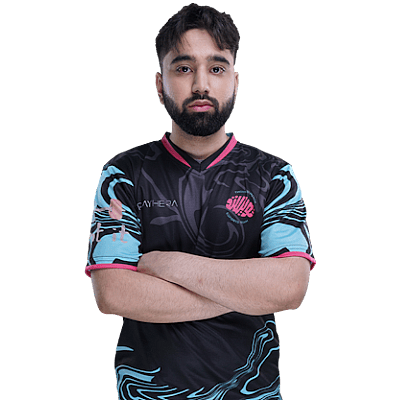
D0cC

TeamFree AgentNetherlandsNetherlandsCS2Verified loadout
Updated 24 May 2026Specs verified
On this page

Copy D0cC's full setup

Every device D0cC uses to compete at the highest level. Exact gear, zero guesswork.

  • Real gear, no curation tricks
  • Buy links pull live UK retailer prices
  • Specs match the loadout in this profile
  • Updated whenever the loadout changes
MouseZOWIE EC2-DW Black
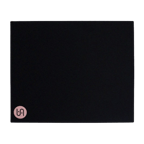
MousepadPD150
KeyboardG Pro Keyboard
MonitorXL2566X+
HeadsetHyperX Cloud II Gun Metal
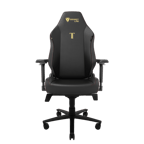
ChairTitan
ProcessorAMD Ryzen 9 9950X3D
Graphics cardNVIDIA GeForce RTX 5090

Items in setup

8

Live UK prices on each product

Tap any item to open the live UK retailer page.

CS2 · Quick copy

Most copied settings

The handful of values most players paste straight in. Full reference is below.

Mouse

DPI
800
Sensitivity
1
eDPI
800.00
Polling rate
2000
Zoom sens
1

Monitor

Resolution
1024x768
Aspect ratio
4:3
Scaling
Stretched

Peripherals

Budget alternatives

Great performance for less money. Pulled live from each category.

See more budget optionsUK retailers only

Desk and streaming setup

Computer build

D0cC FAQ

Common questions

What resolution does D0cC play CS2 at?
D0cC plays at 1024x768, a stretched resolution that widens player models for easier targeting in competitive CS2.
Which mouse pad does D0cC use?
D0cC uses the VAXEE PD150, a mid-size competitive pad with a balanced speed and control surface.
What monitor does D0cC play on?
D0cC uses the ZOWIE XL2566X+, a 240Hz esports monitor built for fast-paced tactical shooters like CS2.
Can I copy D0cC's setup on a budget?
The 1024x768 resolution is free to implement; you'll want a 240Hz monitor and competitive mouse pad as the core investments, then upgrade your CPU and GPU as budget allows.
What keyboard does D0cC use?
D0cC plays on the Logitech G Pro Keyboard, a wired mechanical keyboard designed for competitive gaming.

Watch gameplay

Watch D0cC playing CS2

Opens YouTube search in a new tab