Team

NRG

Pro player loadout

Grim

TeamNRGUnited StatesUnited StatesCS2Verified loadout
Updated 24 May 2026Specs verified
On this page

Copy Grim's full setup

Every device Grim uses to compete at the highest level. Exact gear, zero guesswork.

  • Real gear, no curation tricks
  • Buy links pull live UK retailer prices
  • Specs match the loadout in this profile
  • Updated whenever the loadout changes
MouseVAXEE XE V2 White
MousepadG-TR
KeyboardWooting 80HE Black
MonitorXL2546K
HeadsetHyperX Cloud III S Wireless
EarphonesRays
ProcessorAMD Ryzen 9 5950X Processor (16Cores/32Threads
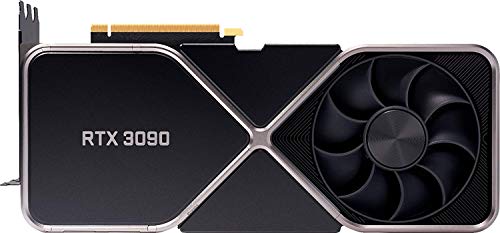
Graphics cardGeForce RTX 3090 Founders Edition

Items in setup

8

Live UK prices on each product

Tap any item to open the live UK retailer page.

CS2 · Quick copy

Most copied settings

The handful of values most players paste straight in. Full reference is below.

Mouse

DPI
800
Sensitivity
0.72
eDPI
576
Polling rate
2000
Zoom sens
1.00

Monitor

Resolution
1920x1080
Aspect ratio
16:9
Scaling
Native

Peripherals

Budget alternatives

Great performance for less money. Pulled live from each category.

See more budget optionsUK retailers only

Computer build

Grim FAQ

Common questions

What monitor does Grim use for CS2?
Grim plays on the ZOWIE XL2546K, a 240Hz monitor that's a solid pick for competitive CS2.
What are Grim's CS2 display settings?
Grim runs 1920x1080 resolution in CS2, a standard competitive choice that balances clarity and frame rate.
What mouse pad does Grim use?
Grim uses the ZOWIE G-TR mousepad, which pairs well with his overall NRG setup.
Can I build a budget setup similar to Grim's?
Grim's rig centres on a Ryzen 9 5950X and RTX 3090; you can replicate his 1920x1080, 240Hz experience with less premium components and still hit competitive performance.
What headset does Grim wear?
Grim runs the HyperX Cloud III S Wireless headset paired with Moondrop Rays earphones for in-game audio.

Teammates

Watch gameplay

Watch Grim playing CS2

Opens YouTube search in a new tab