Team

Dignitas

Pro player loadout

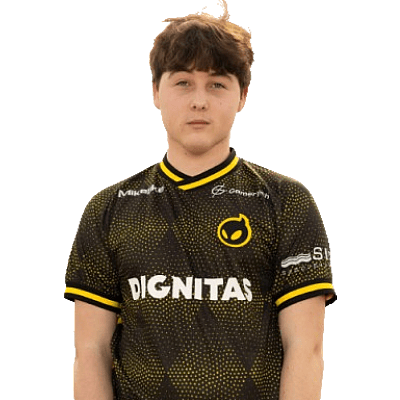
Khanada

TeamDignitasUnited StatesUnited StatesFortniteVerified loadout
Updated 24 May 2026Specs verified
On this page

Copy Khanada's full setup

Every device Khanada uses to compete at the highest level. Exact gear, zero guesswork.

  • Real gear, no curation tricks
  • Buy links pull live UK retailer prices
  • Specs match the loadout in this profile
  • Updated whenever the loadout changes
MouseRazer Viper V3 Pro
MousepadGaming Custom Mousepad
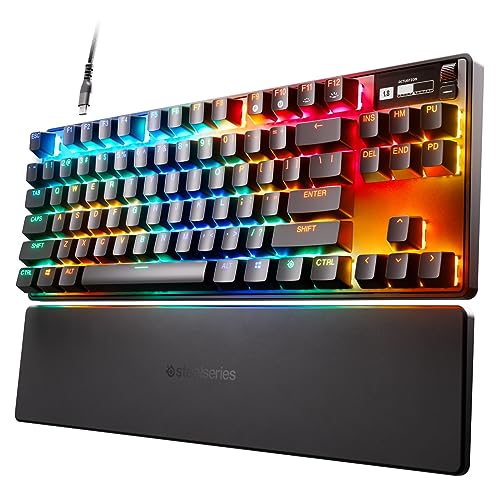
KeyboardSteelSeries Apex Pro TKL
MonitorAW2523HF
Headsetbeyerdynamic DT 700 PRO X
MicrophoneHyperX QuadCast S
ProcessorAMD Ryzen 7 9800X3D
Graphics cardNVIDIA GeForce RTX 4080 Super

Items in setup

8

Live UK prices on each product

Tap any item to open the live UK retailer page.

Fortnite · Quick copy

Most copied settings

The handful of values most players paste straight in. Full reference is below.

Mouse

DPI
800
Polling rate
1000

Monitor

Resolution
1920x1080

Peripherals

Closest same-feel

If the exact pick is out of reach

Hand-tagged lookalikes that share the shape, weight, or feel of Khanadas gear, ordered by spec score then cheapest UK price.

Budget alternatives

Great performance for less money. Pulled live from each category.

See more budget optionsUK retailers only

Computer build

Khanada FAQ

Common questions

What DPI and mouse settings does Khanada use in Fortnite?
Khanada runs 800 DPI with 1000Hz polling on his Razer Razer Viper V3 Pro. This combination gives him responsive, consistent aim in competitive matches.
Which mouse does Khanada use?
Khanada uses the Razer Razer Viper V3 Pro, paired with an Inked Gaming Custom Mousepad for stable tracking across the play area.
What monitor does Khanada play Fortnite on?
He plays on the Alienware AW2523HF, which delivers the high refresh rate needed for Fortnite's competitive pace.
What resolution does Khanada play at?
Khanada plays at 1920x1080, a standard resolution for competitive Fortnite that balances clarity and performance.
Can I build a similar Fortnite setup on a budget?
You can match Khanada's core settings (800 DPI, 1000Hz polling, 1920x1080) with mid-range alternatives; focus on a 144Hz+ monitor and a decent gaming mouse rather than the exact premium brands.

Teammates

Watch gameplay

Watch Khanada playing Fortnite

Opens YouTube search in a new tab