Team

FlyQuest

Pro player loadout

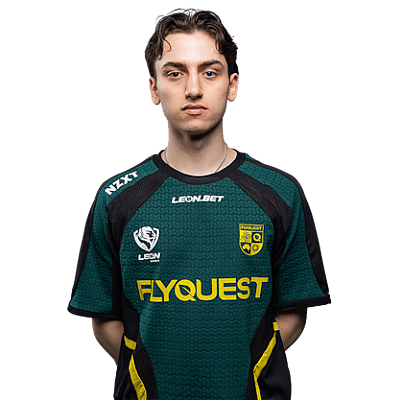
Vexite

TeamFlyQuestAustraliaAustraliaCS2Verified loadout
Updated 24 May 2026Specs verified
On this page

Copy Vexite's full setup

Every device Vexite uses to compete at the highest level. Exact gear, zero guesswork.

  • Real gear, no curation tricks
  • Buy links pull live UK retailer prices
  • Specs match the loadout in this profile
  • Updated whenever the loadout changes
MouseZOWIE EC2-DW Glossy
MousepadZOWIE G-SR III
KeyboardWooting 80HE Black
MonitorXL2566K
HeadsetHyperX Cloud III Black
EarphonesKZ ZS10 Pro
Chairnoblechairs HERO Black
ProcessorIntel Core i7-13700KF
Graphics cardNVIDIA GeForce RTX 4070 Ti Super
CaseH7 Flow
CoolingKraken Elite

Items in setup

11

Live UK prices on each product

Tap any item to open the live UK retailer page.

CS2 · Quick copy

Most copied settings

The handful of values most players paste straight in. Full reference is below.

Mouse

DPI
800
Sensitivity
1.24
eDPI
992.00
Polling rate
1000
Zoom sens
0.7

Monitor

Resolution
1440x1080
Aspect ratio
4:3
Scaling
Stretched

Peripherals

Desk and streaming setup

Computer build

Vexite FAQ

Common questions

What resolution does Vexite use in CS2?
Vexite plays at 1440x1080, a stretched resolution that gives CS2 players a slightly wider view while keeping the vertical field of view competitive.
Which monitor does Vexite play on?
Vexite uses a ZOWIE XL2566K, a 360Hz esports display built for fast-paced tactical shooters like CS2.
What GPU does Vexite run?
Vexite's system runs an NVIDIA GeForce RTX 4070 Ti Super, plenty of power to maintain high frame rates on his 1440x1080 stretched setup.
Can I build Vexite's setup on a budget?
The RTX 4070 Ti Super and XL2566K are high-end choices; you can replicate his competitive performance with a mid-range GPU and 240Hz monitor instead and save significantly.

Teammates

Watch gameplay

Watch Vexite playing CS2

Opens YouTube search in a new tab