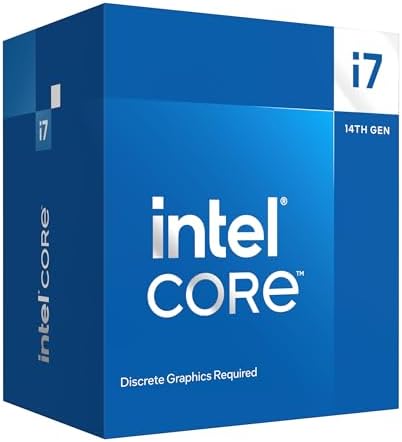
Intel 20 Core i7 14700F Raptor Lake Refresh CPU/Processor
Intel's 14th-gen 20-core workhorse for gamers and creators, with a bundled Laminar RM1 cooler, DDR4 or DDR5 flexibility, and no iGPU premium in the price.
We may earn a commission on purchases via this link. It never affects our scores or rankings.
Why we rate it
- 20 cores with bundled Laminar RM1
- 65W base TDP, manageable thermals
- DDR4 or DDR5 depending on board
- 5.4 GHz Turbo Boost Max 3.0
- No integrated graphics
- Up to 219W at max power
Where the Intel 20 Core i7 14700F Raptor Lake Refresh CPU/Processor wins and loses
Specifications
General info
Cores and threads
Clocks and cache
Memory
Power
Features and IO
Watch it in action
Intel 20 Core i7 14700F Raptor Lake Refresh CPU/Processor vs Intel Core i5-13600K
| IntelIntel 20 Core i7 14700F Raptor Lake Refresh CPU/ProcessorThis page | IntelCore i5-13600K | |
|---|---|---|
| Overall score | 73 /100 | — /100 |
| Core count | 20Better | 14 |
| Thread count | 28Better | 20 |
| Boost clock | 5.4 GHzBetter | 5.1 GHz |
| Base clock | 2.1 GHz | — |
| TDP | 65 W | — |
| L3 cache | 33 MBBetter | 24 MB |
Is the Intel 20 Core i7 14700F Raptor Lake Refresh CPU/Processor right for you?
If you're upgrading an existing LGA1700 or DDR4 system and want the best price-to-performance ratio in 14th gen, the i7-14700F hits a sweet spot. Bundled cooler and DDR4 compatibility make the total build cost lower than the i9.
LGA1700 is a dead end. If you're starting from scratch, AM5 or Intel's newer LGA1851 platform offer future CPU upgrade paths. Don't start a new build on LGA1700.
Before you buy
The i9 has 16 E-cores versus 12, a higher 6.0 GHz boost versus 5.4 GHz, and an unlocked multiplier for overclocking. The i9 also draws significantly more power at peak. The i7 includes a cooler; the i9 doesn't. For most gaming builds, the i7 is the better value.
Yes. The Intel Laminar RM1 is included. It handles gaming and everyday workloads at stock comfortably. For sustained rendering or heavy encoding, an aftermarket cooler is recommended.
Yes, depending on your motherboard. LGA1700 boards support either DDR4 or DDR5 (not both on the same board). For upgraders with existing DDR4 memory, this is a real cost saving.
For an upgrade to an existing LGA1700 build, yes. For a new build, no. LGA1700 is end of life with no further CPU upgrades. AM5 or Intel LGA1851 are better foundations for a new system.
Alternatives & similar cpus