Team

2GAME ESPORTS

Pro player loadout

qck

Team2GAME ESPORTSBrazilBrazilValorantVerified loadout
Updated 24 May 2026Specs verified
On this page

Copy qck's full setup

Every device qck uses to compete at the highest level. Exact gear, zero guesswork.

  • Real gear, no curation tricks
  • Buy links pull live UK retailer prices
  • Specs match the loadout in this profile
  • Updated whenever the loadout changes
MouseRazer DeathAdder V4 Pro
MousepadArtisan Type-99 Matcha
KeyboardHuntsman V3 Pro Mini Black
MonitorXL2566K
HeadsetRazer BlackShark V2 Pro White
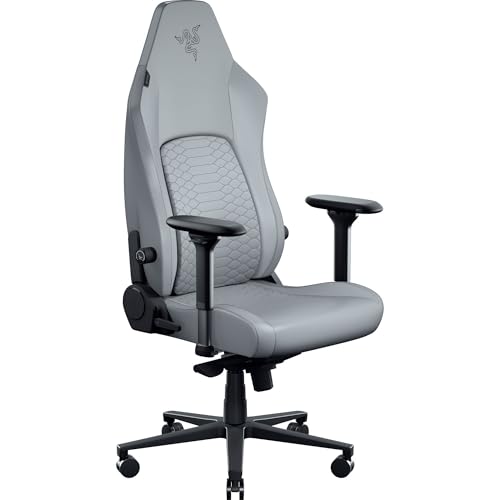
ChairIskur V2
ProcessorCore i5-13600K
Graphics cardNVIDIA GeForce RTX 4070 Super

Items in setup

8

Live UK prices on each product

Tap any item to open the live UK retailer page.

Valorant · Quick copy

Most copied settings

The handful of values most players paste straight in. Full reference is below.

Mouse

DPI
1600
Sensitivity
0.11
eDPI
176.00
Polling rate
8000
Zoom sens
1

Monitor

Resolution
1280x882
Aspect ratio
4:3
Display mode
Fullscreen

Peripherals

Budget alternatives

Great performance for less money. Pulled live from each category.

See more budget optionsUK retailers only

Desk and streaming setup

Computer build

qck FAQ

Common questions

What are qck's Valorant mouse settings?
qck plays on 1600 DPI with 0.11 sensitivity and 8000Hz polling, giving him a responsive feel for duels and tracking.
Which mouse does qck use in Valorant?
qck uses the Razer DeathAdder V4 Pro, paired with a ZOWIE XL2566K monitor running at 1280x882 resolution.
What keyboard and chair does qck play on?
qck plays on a Razer Huntsman V3 Pro Mini Black keyboard and a Razer Iskur V2 chair for his Valorant setup.
What GPU and processor does qck use?
qck runs an Intel Core i5-13600K processor paired with an NVIDIA GeForce RTX 4070 Super for stable frame rates in Valorant.

Watch gameplay

Watch qck playing Valorant

Opens YouTube search in a new tab