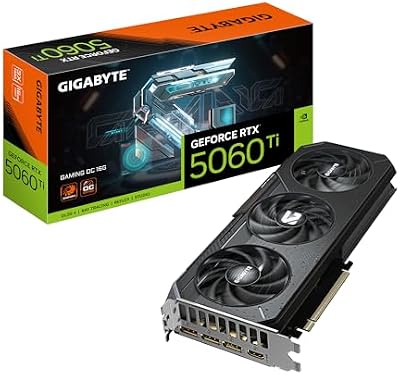
Home/Compare/Graphics Cards/ASUS Prime RTX 5060 Ti OC Edition
ASUS

ASUS Prime RTX 5060 Ti OC Edition

A clean, no-fuss take on Nvidia's 16GB 5060 Ti, with a factory overclock and a slim 2.5-slot cooler aimed at compact 1080p and 1440p builds.

In stock16GB GDDR7Factory overclocked2.5-slot, dual BIOSZero RPM modeMetal backplate
ASUS Prime RTX 5060 Ti OC Edition
16GB GDDR7Factory overclocked2.5-slot, dual BIOSZero RPM modeMetal backplateWatch review
Compare prices

Affiliate links, your price stays the same. How we check prices →

Our verdict

A sensibly-priced 16GB 5060 Ti with DLSS 4 support and a clean Prime aesthetic, perfect for 1080p and 1440p builds.

75/100
vs. other £350 to £500 entry-mid GPUs
Scored within its class as a sub-£500 1080p and 1440p card, not against higher-tier 4K-focused GPUs.
Best price found
£623
30-day low £614 · Average £628
See £623 deal at Amazon Uk

What we think

Swipe or tap to explore what we like, what to watch for, and who it's for

How it performs & what it pairs with

Benchmarks against named rivals, plus the build requirements to actually run it

Benchmarks
Tested at 1080p and 1440p, ultra settings, DLSS Quality where applicable
Cyberpunk 2077 (1080p ultra, RT off)
Prime RTX 5060 Ti OC
120 fps avg
RTX 5060
97 fps avg
RTX 4060 Ti 16GB
104 fps avg
Cyberpunk 2077 (1440p high, RT on, DLSS Quality)
Prime RTX 5060 Ti OC
75 fps avg
RTX 5060
58 fps avg
RTX 4060 Ti 16GB
62 fps avg
Hogwarts Legacy (1440p ultra)
Prime RTX 5060 Ti OC
83 fps avg
RTX 5060
60 fps avg
RX 9060 XT
84 fps avg
Test bench

Tested with a Ryzen 7 7800X3D, 32GB DDR5-6000, Windows 11 24H2 on a 750W PSU. OC mode BIOS, latest driver at time of testing.

Build compatibility
What your PC needs
Power supply
Modest power needs for this performance tier. Most existing mid-range builds will run it on their current PSU without needing to upgrade.
Case clearance
The 2.5-slot, dual-fan design fits most mid-tower and mATX cases. Won't fit strict 2-slot only ITX cases though, so check your case spec first.
Motherboard slot
Standard PCIe x16 slot. Works on PCIe 4.0 and 5.0 boards alike, and on PCIe 3.0 with only a small performance hit.
!
Avoid pairing with very old CPUs
Pairs well with anything from a Ryzen 5 5600 or Core i5 12400 upwards. Significantly older CPUs will bottleneck it, especially at 1080p high refresh.
Cooling and noise
The Prime cooler is adequate for this tier of card. Zero RPM mode keeps it silent at desktop, and Dual BIOS lets you pick between quieter and faster fan profiles.

Performance breakdown

Scored relative to the class, not against flagship models

vs. other £350 to £500 entry-mid GPUs
75/100
Best in class scored 85
Class average 70
Lowest in class 50
1080p rasterisation88 / 100
Strong 1080p performance, hits high refresh in nearly all modern titles
1440p rasterisation75 / 100
Capable at 1440p high, DLSS helps in heavier ultra settings
Ray tracing72 / 100
DLSS 4 frame gen makes RT viable, but raw RT performance is mid-tier
Power efficiency85 / 100
Blackwell on a small die runs cool with modest power draw

Watch it in action

Powered byYouTube

Who this is right for

Picture yourself in these scenarios. How well does this fit?

1080p high-refresh gamer
Driving a 144Hz or 240Hz 1080p monitor, playing a mix of competitive and AAA titles. This card delivers smooth frame rates with plenty of VRAM headroom for years to come.
Excellent fit
Entry-level 1440p builder
Stepping up to 1440p for the first time on a sensible budget. Modern games look great at high settings, with DLSS 4 to smooth over the heavier titles.
Good fit
Small form factor builder
Cramming a powerful PC into a tiny case. The 2.5-slot cooler fits where triple-fan cards won't, though stronger ITX-friendly cards exist if budget allows.
Okay fit
Native 4K gamer
Wants to play the latest AAA games at native 4K ultra with all the bells and whistles. This card just doesn't have the horsepower, even with DLSS 4 in the mix.
Look elsewhere

What every spec actually means

Numbers translated into real-world impact

vram_gb16

Twice the memory of the 8GB variant of the same chip, which makes a real difference in newer games. 1440p ultra textures, mods, and texture packs all benefit. The smarter buy of the two 5060 Ti versions.

memory_typeGDDR7

Newer, faster memory standard. Higher bandwidth than GDDR6 or GDDR6X, which helps the card feed itself in memory-hungry games without bottlenecking the GPU.

slots2.5

Slimmer than most triple-fan partner cards. Easier to fit in compact mATX or ITX cases, but still won't squeeze into strict 2-slot only configurations. Check your case before buying.

biosDual BIOS

Physical switch toggles between Quiet and Performance fan profiles. Useful for keeping the card silent during desktop work and letting it breathe under heavy load.

fan stopZero RPM

Fans stop entirely under light load, making the card genuinely silent at desktop and during light gaming. A nice quality-of-life feature for quiet PCs.

Complete specifications

Verified across manufacturer datasheets and retailer spec tables

All specs
slots
2.5
2 to 3 slots typical, this is 2.5
vram gb
16
8 to 16GB typical at this tier, this is the max
gpu chip
RTX 5060 Ti
·
zero rpm
true
·
backplate
true
·
dual bios
true
·
memory type
GDDR7
GDDR6 or GDDR7 in class, this is GDDR7
factory overclocked
true
·

Common questions

The things people ask before buying this product

Should I get the 8GB or 16GB RTX 5060 Ti?

The 16GB version, almost always. The extra memory makes a noticeable difference in newer games at 1440p, and even some 1080p titles, for usually a small price premium. The 8GB variant is best avoided.

Is the ASUS Prime 5060 Ti different from the Dual variant?

Marginally. Both are entry-tier ASUS coolers and deliver near-identical performance, cooling, and noise in real use. Pick whichever is cheaper at the time of buying, or whichever aesthetic you prefer.

Will the ASUS Prime 5060 Ti fit a small case?

It's 2.5 slots thick, which fits most mid-tower and many mATX cases. Strict 2-slot only ITX cases will need to look at slimmer single-fan models, so always check your case clearance before buying.

Is the factory OC worth paying extra for?

Marginally. Partner card factory OCs typically add a few percent of performance, which you could match yourself with a quick manual tune. Pay the premium for the build quality and Dual BIOS, not the OC alone.

Compare Electronic editors
Independent graphics cards comparison since 2025
Every product is scored against its own product class, not against flagship models. Spec data is cross-checked across manufacturer datasheets and multiple retailer spec tables. Prices are verified daily. We never rank by affiliate commission.
Read our methodology