Team

Content Creator

Pro player loadout

WackyJacky101

TeamContent CreatorDenmarkDenmarkPUBGVerified loadout
Updated 24 May 2026Specs verified
On this page

Copy WackyJacky101's full setup

Every device WackyJacky101 uses to compete at the highest level. Exact gear, zero guesswork.

  • Real gear, no curation tricks
  • Buy links pull live UK retailer prices
  • Specs match the loadout in this profile
  • Updated whenever the loadout changes
MousePrime
MousepadSteelSeries QcK+
KeyboardApex Pro Mini
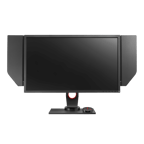
MonitorXL2740
HeadsetSteelSeries Arctis Nova Pro Wireless
ProcessorCore i9-13900K
Graphics cardNVIDIA GeForce RTX 4090
CaseH7 Flow
CoolingKraken Z73

Items in setup

9

Live UK prices on each product

Tap any item to open the live UK retailer page.

PUBG · Quick copy

Most copied settings

The handful of values most players paste straight in. Full reference is below.

Mouse

DPI
800
Polling rate
1000

Monitor

Resolution
1920x1080

Peripherals

Budget alternatives

Great performance for less money. Pulled live from each category.

See more budget optionsUK retailers only

Computer build

WackyJacky101 FAQ

Common questions

What DPI and polling rate does WackyJacky101 use in PUBG?
WackyJacky101 runs 800 DPI with 1000Hz polling on the SteelSeries Prime, a good balance for PUBG's slower, aim-focused gameplay.
Which mouse does WackyJacky101 use?
He uses the SteelSeries Prime, paired with an Apex Pro Mini keyboard and a 240Hz ZOWIE XL2740 monitor.
Is WackyJacky101's setup still current?
Yes; the RTX 4090, i9-13900K, and SteelSeries peripherals are all recent-generation kit that handles PUBG at high framerates and resolution.
Can I build a similar setup on a tighter budget?
Swap the RTX 4090 for an RTX 4070 Super or RTX 4080 for solid value; the SteelSeries Prime and Apex Pro Mini remain excellent budget-friendly choices for competitive PUBG.

Teammates

Watch gameplay

Watch WackyJacky101 playing PUBG

Opens YouTube search in a new tab