

What mouse DPI do I need?
Most players do not need a mouse’s maximum DPI. Start with comfortable sensitivity, then compare effective sensitivity and sensor settings across games.
On this page
At a glance
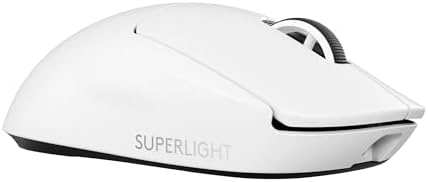
Most players should start between 400 and 1,600 DPI, then tune in-game sensitivity to a comfortable movement distance. DPI is commonly used for sensor sensitivity expressed in counts per inch. A high maximum is not a target. Razer Viper V3 Pro, Logitech G PRO X SUPERLIGHT 2 and Logitech G502 X provide more adjustment range than most players need.
See the wider mouse buying guide and the related mouse explainer. The manufacturer’s Razer Viper V3 Pro sensitivity settings provides the cited specifications. A separate gaming mouse and pad guide covers desk setup.
Which option fits each use?
Effective sensitivity depends on both mouse DPI and the game sensitivity multiplier. Doubling DPI while halving the multiplier preserves the same nominal eDPI: 800 × 1.0 equals 1,600 × 0.5. This is a comparison method, not a guarantee that every game scales identically. Keep operating-system acceleration fixed and change one setting at a time so the effect is clear.
| Situation | Pick | Decision reason |
|---|---|---|
| 400 DPI × 2.0 | 800 eDPI | Lower DPI, higher game setting |
| 800 DPI × 1.0 | 800 eDPI | Reference |
| 1,600 DPI × 0.5 | 800 eDPI | Higher DPI, lower game setting |
| 44,000 DPI max | Not a target | Sensor ceiling only |
Radar · 0-100 scores
- Razer Viper V3 Pro
- Logitech G PRO X SUPERLIGHT 2 wireless gaming mouse
- G502 X (wired)
What should you compare before buying?
Razer specifies a 35,000-DPI maximum for Viper V3 Pro. The Logitech alternatives also provide configurable sensitivity, but a maximum sensor figure does not establish tracking accuracy at an ordinary desktop setting. Select one reproducible DPI stage, keep operating-system acceleration consistent and adjust in-game sensitivity in small steps. Compare within the same game before trying to translate a setting elsewhere.
Do not treat DPI, polling rate and weight as interchangeable measures. DPI is the number of counts reported per inch; polling rate is how often the mouse reports updates; weight affects physical handling. Shape, grip and surface friction alter the experience as well. Choose a stable configuration that suits the game or task instead of buying the largest number on a spec sheet.
Why is eDPI not a universal sensitivity measurement?
Because a game's sensitivity scale is part of the calculation. The arithmetic 800 DPI multiplied by 1.0 and 1,600 DPI multiplied by 0.5 gives 800 eDPI within the same linear sensitivity system, but it does not establish identical movement across different games. Field of view, zoom multipliers and engine settings can change the result. A more practical cross-game reference is the physical distance needed for a full turn, measured with the same pad and acceleration settings. There is no single distance that suits every player. Razer's 35,000-DPI sensor ceiling on Viper V3 Pro provides adjustment range, not an instruction to use that maximum. Begin with a familiar stage and change only one setting at a time.
Does increasing DPI increase the polling rate?
No. DPI counts movement while polling rate schedules reports to the computer. A 1,000 Hz report rate has a 1 ms nominal interval regardless of whether the mouse is set to 400 or 1,600 DPI. Raising sensitivity changes how far the cursor travels for the same hand movement; it does not turn that schedule into 8,000 Hz. Check each setting separately and keep a note of the chosen values. For a reproducible comparison, use the same game, pad, operating-system pointer settings and resolution before judging a new mouse. Consistency matters more than chasing a sensor's highest advertised number.
What should you buy?
Most players should start between 400 and 1,600 DPI, then tune in-game sensitivity to a comfortable movement distance. DPI is commonly used for sensor sensitivity expressed in counts per inch. A high maximum is not a target. Razer Viper V3 Pro, Logitech G PRO X SUPERLIGHT 2 and Logitech G502 X provide more adjustment range than most players need. Razer Viper V3 Pro costs £113 on Amazon UK at the time of writing (October 2026), checked on 27 October 2026.
Amazon UK listing prices at the time of writing (October 2026), checked on 27 October 2026. These figures refer to the exact linked configurations.
| Mouse | Amazon UK price | Specifications |
|---|---|---|
| Razer Viper V3 Pro | £113.00 | Manufacturer |
| Logitech G PRO X SUPERLIGHT 2 wireless gaming mouse | £105.79 | Manufacturer |
| G502 X (wired) | £37.99 | Manufacturer |

Razer Viper V3 Pro specifications
- Sensor: Focus Pro 35K Gen-2
- DPI: up to 35,000
- Weight: 54 g, black version
- Battery: up to 95 hours at 1,000 Hz
- Polling: up to 8,000 Hz with appropriate settings
Logitech G PRO X SUPERLIGHT 2 wireless gaming mouse and G502 X (wired) are the alternatives. Compare the exact hand fit, connection mode and software support before ordering.
Razer Viper V3 Pro - strengths and limits
Where to buy
Check price
Verdict
Most players should start between 400 and 1,600 DPI, then tune in-game sensitivity to a comfortable movement distance. DPI is commonly used for sensor sensitivity expressed in counts per inch. A high maximum is not a target. Razer Viper V3 Pro, Logitech G PRO X SUPERLIGHT 2 and Logitech G502 X provide more adjustment range than most players need. Pick by grip, connection and repeated task, then verify exact configuration and price on Amazon UK. Continue with the wider buying guide, the related question and the mouse-weight explainer.
Frequently asked questions
What mouse DPI should I use for gaming?
There is no single DPI setting that suits every player or game. Start with a sensitivity that allows controlled movement across the available pad, then keep the same value long enough to judge it. Razer Viper V3 Pro's 35,000-DPI maximum is a sensor ceiling, not a recommended target for everyday play.
How do I compare eDPI between two settings?
Within the same game's linear sensitivity scale, eDPI is calculated by multiplying mouse DPI by in-game sensitivity. For example, 800 DPI at 1.0 and 1,600 DPI at 0.5 both equal 800 eDPI. The comparison does not carry reliably between games with different sensitivity scales, zoom or engine settings.
Does DPI change how often a mouse reports movement?
No. DPI describes how many counts the sensor reports for an inch of movement, while polling rate describes how often the mouse sends reports to the computer. A 1,000 Hz polling rate has a nominal 1 ms interval whether the mouse is set to 400 or 1,600 DPI. Treat the settings separately.
Does 35,000 DPI make the Razer Viper V3 Pro more accurate?
The 35,000-DPI specification describes the maximum configurable sensitivity of Viper V3 Pro, not a guarantee of better aim. A high setting makes the pointer travel farther for the same physical movement and may be difficult to control. Choose a reproducible setting that matches the game, pad and movement preference.
Should I use the same DPI in every game?
Keeping a familiar DPI can simplify muscle memory, while in-game sensitivity can be adjusted to produce a suitable turn distance. eDPI comparisons are useful only within a game's own sensitivity scale; field of view, zoom and engine settings differ between titles. Record the chosen values and change one setting at a time.
What is a practical way to choose mouse sensitivity?
Use a repeatable physical reference, such as measuring how far the mouse moves for a full in-game turn, and adjust gradually. Keep pad, acceleration settings and game resolution stable while comparing values. This method avoids treating a sensor's maximum DPI as a target and helps preserve a setting that feels controllable across sessions.